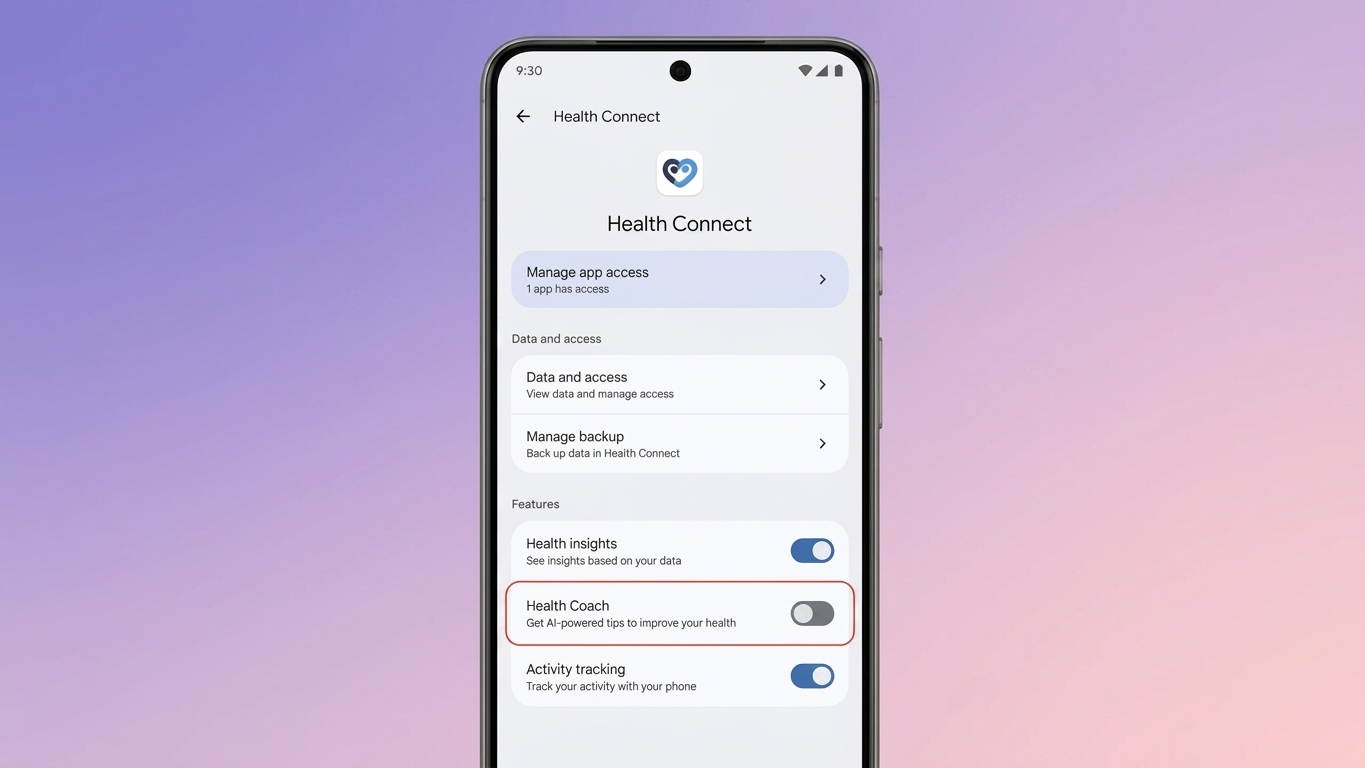
Google Health Coach is an optional feature within the Google Health app that uses AI to provide personalized health insights, fitness suggestions, and wellness recommendations. While many users appreciate these smart tips, others may prefer a distraction-free experience focused only on tracking their health data.
If you no longer want AI-powered coaching, you can disable Google Health Coach without affecting your existing health information. Here’s everything you need to know.
Also Read: How to Start or Schedule a Meeting in Google Meet
Why You Might Want to Turn Off Google Health Coach
Google Health Coach analyzes information such as your activity, sleep patterns, and recovery data to generate personalized recommendations. Although this can be helpful for some users, it isn’t necessary for everyone.
Some common reasons for turning the feature off include:
- Reducing notification alerts.
- Keeping the app interface simple and uncluttered.
- Preferring to monitor health data without AI suggestions.
- Receiving recommendations that don’t match personal fitness goals.
Since everyone uses health apps differently, disabling the coach can make the app feel more streamlined.
Does Turning It Off Delete Your Health Data?
No. Disabling Google Health Coach only stops its AI-powered guidance.
Your stored health information, activity history, and other records remain available in your account. You can continue using the Google Health app to track your health without the coaching feature.
After disabling Google Health Coach:
- Personalized health recommendations stop.
- Workout suggestions are no longer displayed.
- AI-generated sleep and recovery summaries are turned off.
- Coach-related notifications stop.
- Your saved health records and history remain unchanged.
How to Turn Off Google Health Coach
You can disable the feature directly from the app by following these steps:
- Open the Google Health app.
- Tap your profile picture or account icon.
- Go to Your Data in Google Health.
- Select Manage Feature Privacy Controls.
- Open Google Health Coach.
- Tap Turn Off and confirm your choice if prompted.
Once completed, the app will stop showing AI-generated coaching, recommendations, and related notifications.
Can You Turn Google Health Coach Back On?
Yes. If you decide to use the feature again, you can reactivate it at any time.
To enable it again:
- Launch the Google Health app.
- Tap Ask Coach.
- Follow the on-screen instructions.
- Grant any required permissions if requested.
If you don’t want to enable it immediately, simply choose Not Now and activate it later whenever you prefer.
Should You Continue Your Premium Subscription?
If you subscribed mainly to access Google Health Coach, it may be worth reviewing whether your subscription still offers value for your needs.
Some premium or Google AI plans may include additional benefits beyond Health Coach, such as AI-powered tools or expanded cloud storage. Check your subscription details before deciding whether to keep or cancel your plan.
Benefits of Disabling Google Health Coach
Many users choose to turn off the feature because it offers a simpler experience. Some advantages include:
- Fewer app notifications.
- Less screen clutter.
- A cleaner health dashboard.
- Better focus on personal health tracking.
- Full access to existing health records without AI recommendations.
Also Read: How to Use “Ask Maps” in Google Maps: A Simple and Practical Guide
Final Thoughts
Google Health Coach is designed to provide personalized wellness guidance, but it’s completely optional. If you’d rather use the Google Health app without AI-generated insights, you can disable the feature in just a few minutes.
The best part is that your health history and saved data remain safe, and you can always turn Google Health Coach back on whenever you want.

Ankita Kumar, founder of sabhigyan.com, is passionate about technology, smartphones, apps, and digital tools. With 8+ years of experience in the digital and tech space, he focuses on creating easy-to-understand, practical, and helpful content that makes everyday technology simpler for readers.
Advertisements