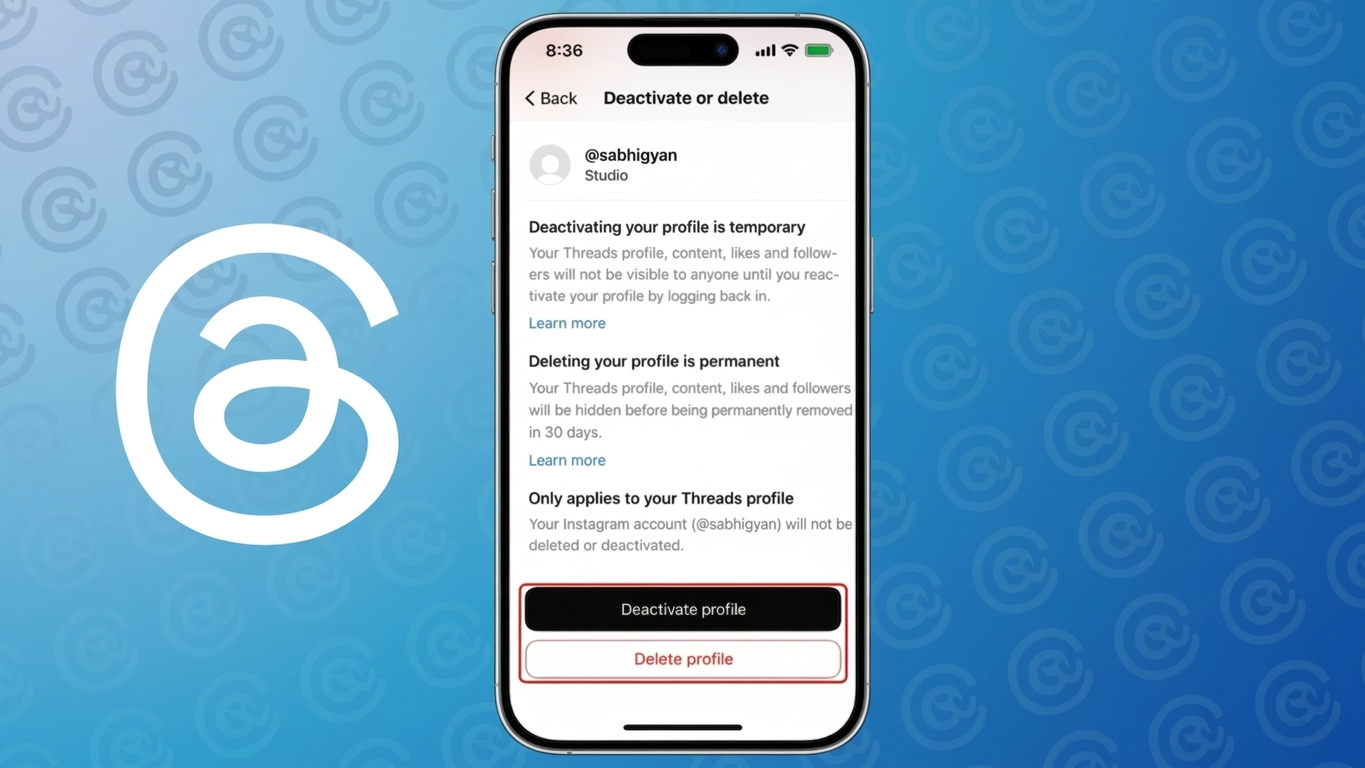
If you’ve been thinking about leaving Threads but want to keep your Instagram account safe, you’re not alone. Many users worry that deleting Threads might affect their Instagram profile—but that’s no longer the case.
This guide explains everything in a clear and practical way so you can make the right choice without confusion.
Also Read: Instagram AI Voice Effects: A Fresh Way to Make Your Messages Stand Out
Understanding the Connection Between Threads and Instagram
Threads was initially launched as a companion app to Instagram, which made both accounts closely linked. However, things have changed.
Now, you have the freedom to remove your Threads profile without impacting your Instagram account in any way. Your Instagram photos, followers, and messages remain exactly as they are.
What You Should Know Before Deleting Threads
Before you go ahead, it’s important to understand what happens after deletion:
- Your Threads profile will be permanently removed
- All your posts, replies, and activity will be deleted
- You won’t be able to recover your data later
- Your username may not be available again
If you think you might want to return later, deactivation could be a better option.
How to Delete Your Threads Account Step by Step
You can remove your Threads account directly from the app by following these simple steps:
- Launch the Threads app on your phone
- Tap on your profile icon
- Open the settings menu
- Go to the Account section
- Select the Delete Profile option
- Follow the instructions and confirm your choice
Once you confirm, your account enters the deletion process, which may take a few days to complete fully.
How to Temporarily Disable Your Threads Account
If you’re not ready to permanently delete your account, you can deactivate it instead.
Steps to deactivate:
- Open the Threads app
- Go to your profile
- Access settings
- Tap Account
- Choose Deactivate Profile
What happens after deactivation:
- Your profile becomes hidden
- Your posts and interactions are no longer visible
- You can reactivate anytime by logging back in
Important Tips Before You Proceed
- Deleting Threads does not affect your Instagram account
- Always back up any important data before deletion
- It may take some time for the account to be fully removed
- App updates might slightly change the location of settings
Common Reasons People Delete Threads
Users choose to leave Threads for different reasons, such as:
- Wanting more privacy
- Not using the app regularly
- Reducing time spent on social media
- Avoiding multiple connected platforms
Also Read: How to Use Photographic Styles on iPhone for Stunning Photos (Beginner-Friendly Guide)
Final Thoughts
Managing your social media accounts should be simple—and now it is. You can easily delete your Threads account without worrying about your Instagram profile.
If you’re unsure, deactivation is a safer first step. It allows you to take a break without losing your data permanently.