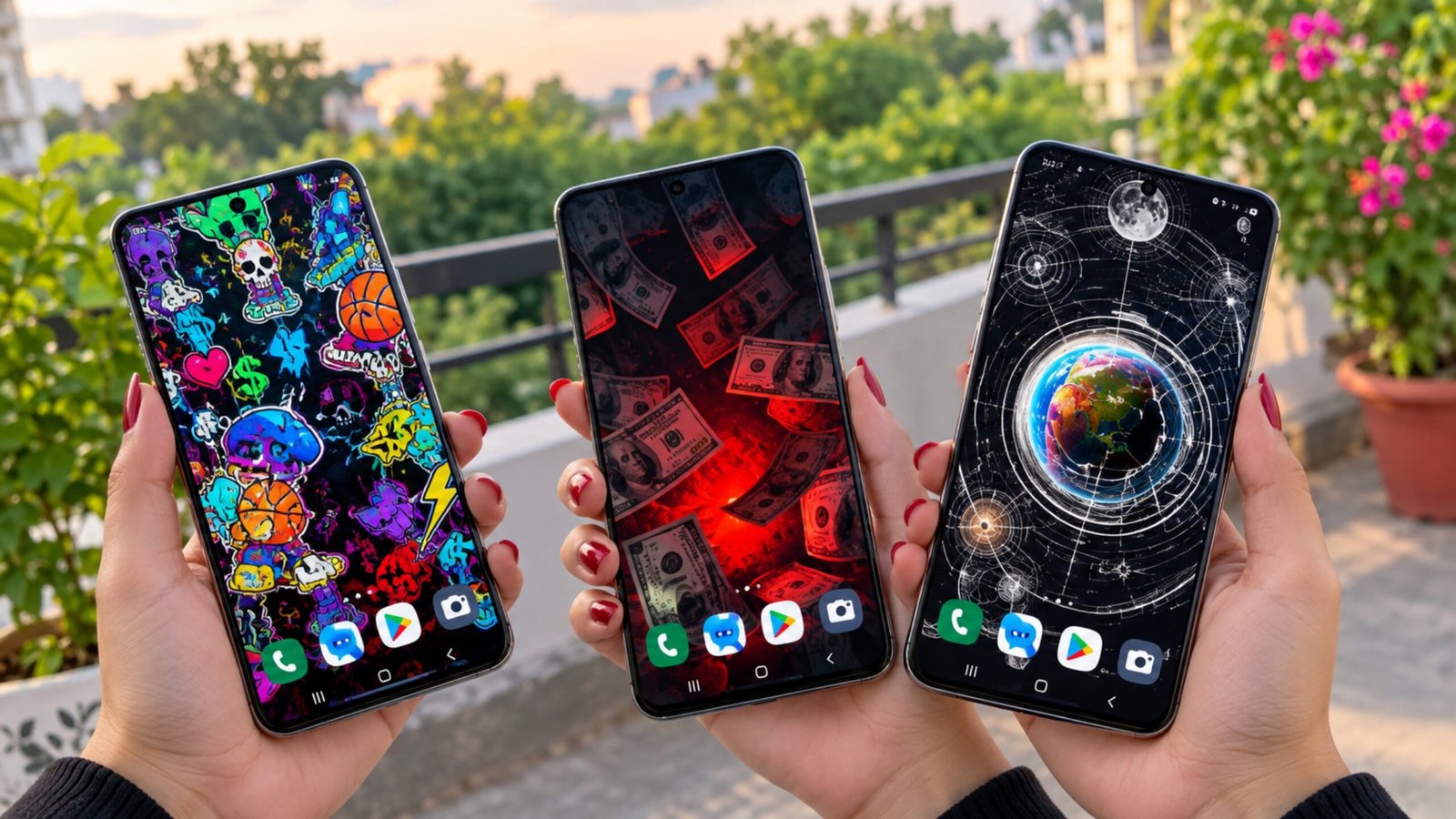
If you enjoy changing the look of your phone frequently, 3D Live Wallpapers – HD & 4K is an app worth exploring. It offers a collection of static and animated wallpapers designed to give your home screen and lock screen a more attractive appearance.
The app focuses mainly on 3D effects, moving backgrounds, parallax animations and high-resolution wallpapers. There are different styles available, so you can choose something simple or go for a more eye-catching animated design.
Also Read: Best 3D Live Wallpaper Apps for Android With Clock, Battery & Charging Effects
What Is 3D Live Wallpapers – HD & 4K?
3D Live Wallpapers – HD & 4K is a wallpaper customization app that lets users browse and apply different backgrounds to their smartphones. Its collection includes 3D wallpapers, live wallpapers, anime-inspired designs, nature scenes, cars, technology, space, abstract artwork and several other categories.
One of its main features is the use of motion and depth effects. Some wallpapers can create a 3D or parallax-style appearance when you move your phone, making the background feel more dynamic than a normal static image.
The app can be useful for people who want to refresh their phone’s appearance without manually creating wallpapers.
Main Features of the App
1. 3D and Parallax Effects
The app includes wallpapers that use depth and motion effects to create a three-dimensional appearance. Depending on the selected wallpaper and device, moving the phone can make parts of the background appear to shift slightly.
This can give the home screen a more dynamic look compared with an ordinary wallpaper.
2. HD and 4K Wallpapers
The wallpaper collection includes high-resolution designs intended for modern smartphone displays. You can find different types of backgrounds, including colorful artwork, landscapes, futuristic designs and minimal wallpapers.
The actual quality you see may depend on your phone’s display resolution and the wallpaper available in the app.
3. Different Wallpaper Categories
There are several styles to choose from, making it easier to find a background according to your preference.
Some commonly available themes include:
- Anime
- Nature
- Cars
- Space
- Technology
- Futuristic designs
- Cities
- Abstract art
- Landscapes
- Minimal designs
- Aesthetic wallpapers
- 3D backgrounds
The available categories and wallpapers may change as the app receives updates.
4. Live and Moving Wallpapers
Instead of using only traditional images, you can choose animated wallpapers that add movement to your screen.
Live wallpapers can make a phone look more interesting, although animated backgrounds may consume more battery or system resources than a simple static image depending on the wallpaper and device.
5. Home Screen and Lock Screen
The app allows you to apply wallpapers to your phone’s home screen, lock screen, or both, depending on the options supported by your Android device.
This means you can use one design on the home screen and another on the lock screen if your phone provides that option.
6. Customization Options
Some wallpapers may provide options for adjusting visual effects or depth. These controls can vary depending on the particular wallpaper and the device.
You can experiment with the available settings to find an appearance that feels comfortable on your screen.
How to Use 3D Live Wallpapers – HD & 4K
Using the app is generally straightforward. Here’s a simple guide for beginners.
Step 1: Open the App
Install 3D Live Wallpapers – HD & 4K on your Android phone and open the application.
You should see the available wallpaper collection on the main screen.
Step 2: Browse the Wallpaper Collection
Scroll through the available wallpapers and look for a design you like.
If the app provides categories, use them to narrow down your choices. For example, you can explore nature, anime, cars, space or abstract designs instead of browsing everything at once.
Step 3: Select a Wallpaper
Tap on the wallpaper you want to use.
A preview screen should show you how the background looks before applying it. For live wallpapers, the preview may also demonstrate the available animation or movement.
Step 4: Check the Available Settings
If the selected wallpaper offers customization controls, check the available options before applying it.
Depending on the wallpaper, you may be able to adjust effects, depth or other visual settings.
Step 5: Apply the Wallpaper
Once you’re happy with the preview, select the option to apply or set the wallpaper.
Android may then show options for where you want to use it.
Step 6: Choose the Screen
Depending on your phone and Android version, you may be able to choose between:
- Home screen
- Lock screen
- Home screen and lock screen
Select the option you prefer and confirm your choice.
Step 7: Check Your Screen
Return to your home screen or lock the phone to see the new wallpaper.
If you have selected a live wallpaper, move the phone slightly or interact with the screen to see whether the wallpaper includes a motion or parallax effect.
How to Find a Suitable Wallpaper
With a large wallpaper collection, finding the right design can sometimes take a little time. A simple approach is to start with a category that matches your style.
For example, nature wallpapers can give your phone a calmer appearance, while futuristic or technology-themed backgrounds can create a more modern look. If you prefer a cleaner interface, minimal or dark wallpapers may work better.
For animated wallpapers, it is also worth checking how the movement looks before applying the design permanently.
Does a Live Wallpaper Affect Battery Life?
Live wallpapers can use more resources than ordinary static wallpapers because the phone has to render animations or visual effects.
The impact can vary depending on the wallpaper, animation complexity, screen refresh rate and smartphone hardware. If you notice faster battery drain after applying an animated wallpaper, switching to a static HD or 4K background may help.
It is therefore a good idea to choose a live wallpaper that provides a nice visual effect without unnecessary animation.
Is 3D Live Wallpapers – HD & 4K Worth Trying?
If you like regularly changing your smartphone’s appearance, the app provides a convenient way to explore different wallpaper styles from one place. Its combination of 3D effects, animated backgrounds and high-resolution designs gives users plenty of options for personalizing their screens.
However, the experience can differ between Android phones. Some live wallpaper features or settings may depend on the device and Android version. Battery consumption can also vary when using animated backgrounds.
Overall, it can be a useful option for users who want something more interesting than a standard static wallpaper.
Official Play Store Link
Final Thoughts
3D Live Wallpapers – HD & 4K is focused on making Android screens more visually interesting through 3D effects, animated backgrounds and high-resolution wallpapers. From nature and landscapes to anime, cars, space and futuristic designs, there are different styles to explore.
The basic process is simple: open the app, choose a wallpaper, preview it, adjust any available settings and apply it to your preferred screen. If you want a more dynamic appearance, you can try a live wallpaper, while static HD or 4K backgrounds may be a better choice when battery efficiency is more important.

Ankita Kumar, founder of sabhigyan.com, is passionate about technology, smartphones, apps, and digital tools. With 8+ years of experience in the digital and tech space, he focuses on creating easy-to-understand, practical, and helpful content that makes everyday technology simpler for readers.
Advertisements