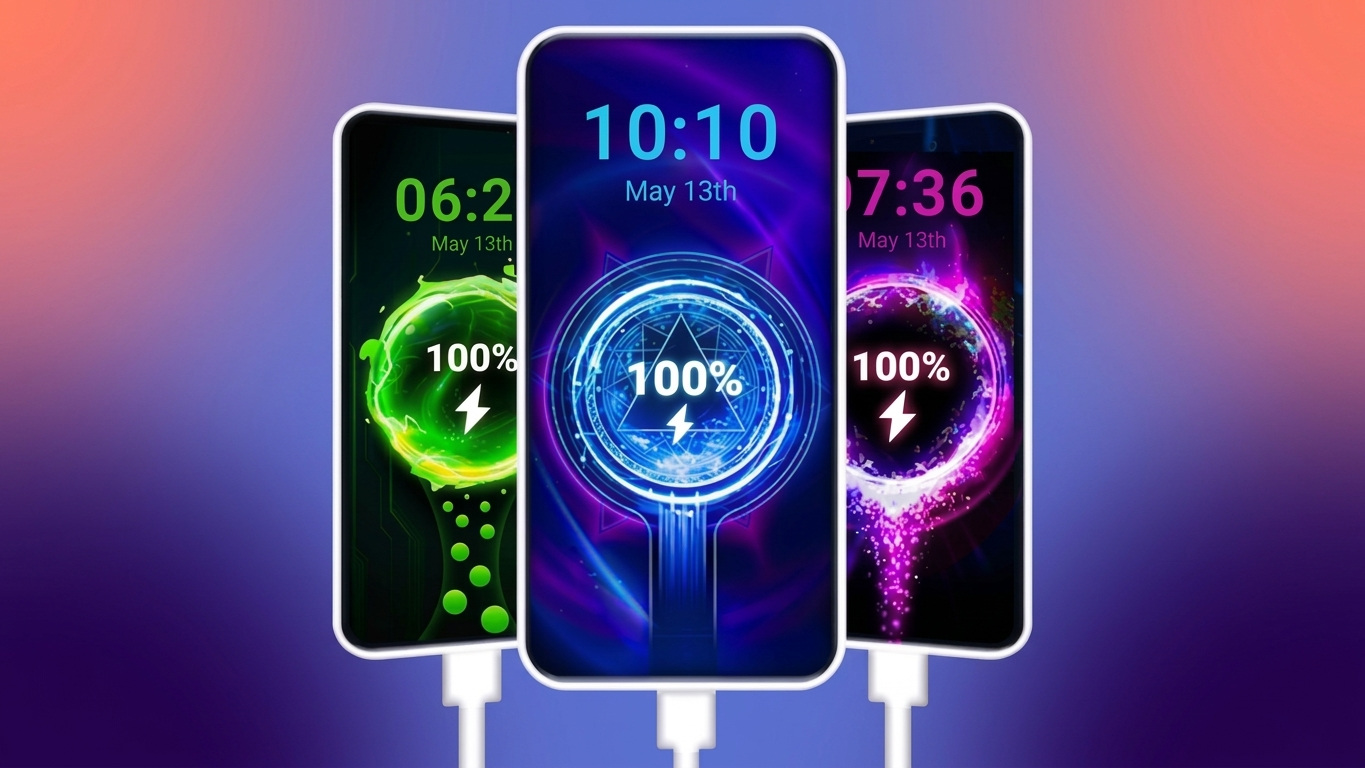
Charging your phone is something you probably do every day, but it doesn’t have to look boring. If you enjoy customizing your Android device, a Battery Charging Animation App can add eye-catching visuals, animated charging effects, and stylish live wallpapers whenever you connect your charger.
Instead of the default charging screen, these apps let you display creative animations, unique battery indicators, and personalized themes that make your device feel more attractive while it’s powering up.
Also Read: Rolling Icons App for Android: Give Your Home Screen a Fun Motion Effect
What Is a Battery Charging Animation App?
A Battery Charging Animation App is an Android personalization tool that replaces the standard charging screen with animated graphics and custom battery displays. Once enabled, the app automatically detects when your charger is connected and shows the selected animation or theme.
These apps focus on appearance rather than improving charging speed, making them a popular choice for users who like to personalize their smartphones.
Features That Make Charging More Interesting
Beautiful 3D Charging Animations
The biggest attraction of these apps is their collection of animated charging screens. As soon as your device starts charging, various visual effects appear, creating a more engaging experience.
Popular animation styles often include:
- 3D battery charging effects
- Flowing energy animations
- Neon light visuals
- Dynamic motion graphics
- Futuristic charging designs
Different apps offer different animation libraries, allowing users to switch styles whenever they want.
Live Wallpapers for Charging Screen
Many charging animation apps also include animated wallpapers that work alongside the charging effect. These moving backgrounds give your phone a fresh and modern appearance.
Common wallpaper categories include:
- Neon themes
- Galaxy and space designs
- Electric lighting effects
- Colorful abstract backgrounds
- Minimalistic styles
These wallpapers can make the charging screen feel more vibrant without changing your phone’s overall interface.
Personalize Every Detail
Most apps provide several customization options so users can create a charging screen that matches their own style.
You can usually customize:
- Charging animation style
- Battery display design
- Screen themes
- Visual effects
- Animation preferences
This flexibility allows every user to create a unique charging experience.
Battery Alerts and Notifications
Some charging animation apps also include battery reminders. These notifications can alert you when your battery level becomes low, helping you recharge before the device powers off.
Available features may vary depending on the app you choose.
Easy-to-Use Interface
Most modern charging animation apps are designed with simplicity in mind. The menus are generally easy to understand, making setup quick even for first-time users.
Popular Theme Styles
One reason these apps remain popular is the wide variety of themes available. Instead of using the same charging screen every day, you can switch between different designs whenever you like.
Some commonly available themes include:
- Neon glow effects
- Sci-fi inspired designs
- Electric charging animations
- Fire and energy themes
- Modern minimal layouts
Changing themes regularly keeps your charging screen looking fresh.
Why Android Users Install Charging Animation Apps
Many people enjoy these apps because they add personality to an otherwise ordinary feature.
Some common reasons include:
- Makes the charging screen more visually attractive.
- Adds a personalized touch to the device.
- Offers plenty of creative themes and animations.
- Easy to set up and use.
- Many apps include free designs and effects.
For users who enjoy Android customization, these apps provide a simple way to refresh the overall look of the phone.
How to Set Up a Battery Charging Animation App
Getting started usually takes only a few minutes.
Step 1
Download a trusted Battery Charging Animation App from the Google Play Store.
Step 2
Launch the app and complete the initial setup or permission requests if needed.
Step 3
Browse through the available charging animations and wallpapers.
Step 4
Select your favorite design and activate the charging animation feature.
Step 5
Connect your charger to see the selected animation appear on your screen.
Advantages of Using a Charging Animation App
Installing a charging animation app can offer several visual benefits, including:
- Attractive charging screen effects
- Multiple theme options
- Custom battery display styles
- Live wallpapers during charging
- Quick installation and simple controls
- Regular theme changes for a fresh look
Although these apps mainly focus on appearance, they can make everyday charging feel a little more enjoyable.
Who Should Try These Apps?
A Battery Charging Animation App can be a good option if you:
- Enjoy customizing Android devices.
- Like animated wallpapers and creative themes.
- Prefer stylish charging screens over the default design.
- Want your smartphone to have a more personalized appearance.
If visual customization is important to you, these apps offer plenty of creative options.
Can Charging Animation Apps Affect Battery Usage?
Like many apps that display animations or live wallpapers, charging animation apps may use additional system resources while active. The actual impact depends on your phone model, Android version, and the app you install.
To keep everything running smoothly:
- Install apps from trusted developers.
- Keep the app updated.
- Disable animations you no longer use.
- Close unnecessary background apps if your device feels slow.
Using a well-optimized app can help minimize resource usage while still providing an attractive charging experience.

Also Read: Zipper Lock Screen App Review: Customize Your Android Lock Screen with a Stylish Zipper Effect
Final Thoughts
A Battery Charging Animation App is an easy way to give your Android phone a fresh and personalized charging screen. With animated effects, stylish battery displays, and colorful live wallpapers, these apps can make a routine task look much more interesting.
While they don’t improve charging performance, they offer a fun way to customize your device and express your personal style. Explore different themes, experiment with animations, and choose a design that matches the look you want for your smartphone.

Ankita Kumar, founder of sabhigyan.com, is passionate about technology, smartphones, apps, and digital tools. With 8+ years of experience in the digital and tech space, he focuses on creating easy-to-understand, practical, and helpful content that makes everyday technology simpler for readers.
Advertisements