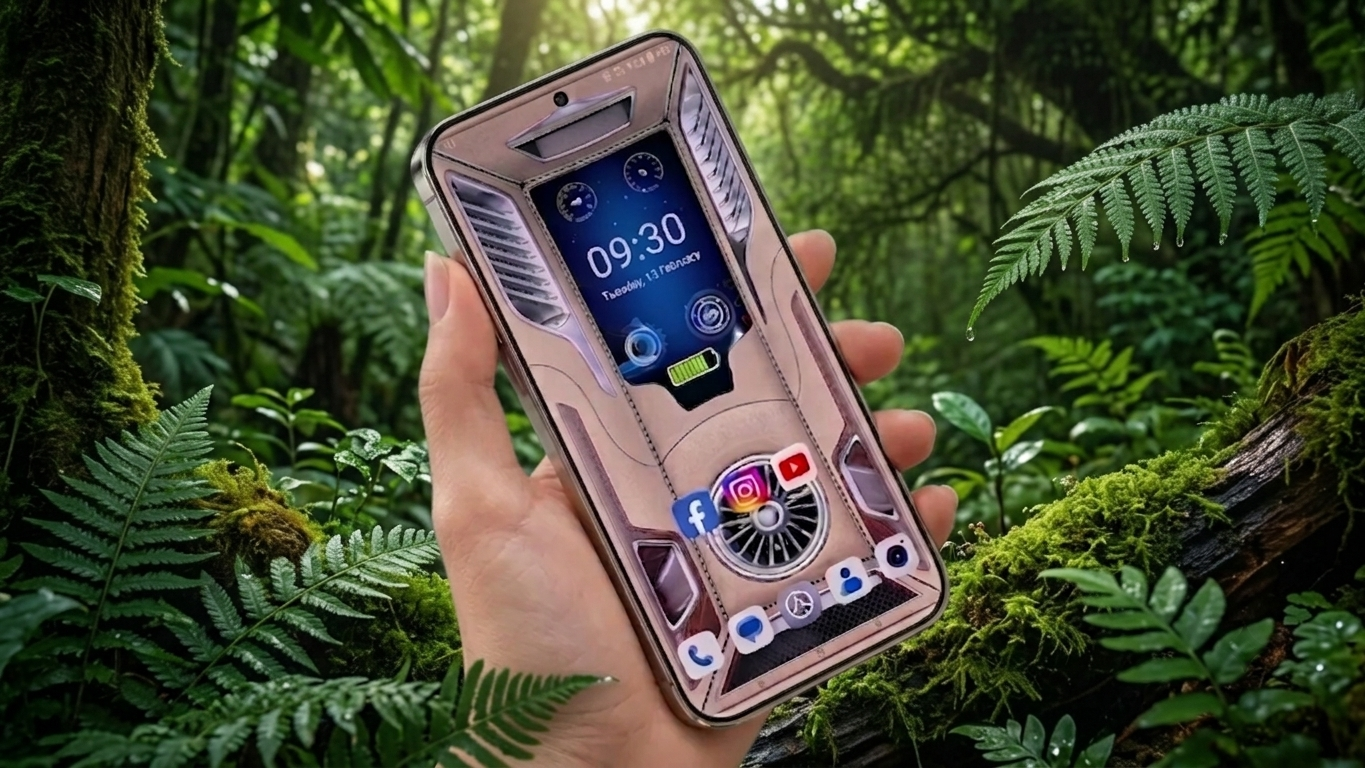
Giving your Android phone a fresh look is easier than ever. Instead of using a simple static wallpaper, many people now choose 3D live wallpaper apps that combine beautiful animations with practical features like clocks, battery indicators, and charging effects. These apps not only make your device more visually appealing but also provide useful information right on your home or lock screen.
Whether you enjoy personalizing your smartphone or simply want a modern interface, a feature-rich live wallpaper app can make your device feel more stylish and interactive.
Also Read: Batix – Charging Photo Review: Personalize Your Android Charging Screen With Custom Photos
Why 3D Live Wallpaper Apps Are Worth Trying
Live wallpapers have evolved far beyond moving backgrounds. Today’s apps often combine attractive visuals with smart widgets that improve both appearance and convenience.
Some common features include:
- Realistic 3D and parallax effects
- Animated wallpapers
- Digital and analog clock widgets
- Battery percentage display
- Charging animations
- Date and weather information
- Customizable home screen layouts
Together, these features create a dynamic experience while keeping important information easily accessible.
Give Your Phone a Premium Look
One of the biggest reasons people install live wallpaper apps is to achieve a premium-looking home screen. Smooth animations and depth effects create an attractive interface that feels much more modern than a traditional wallpaper.
Many wallpapers also respond to device movement, producing a subtle 3D effect that adds realism without changing the way you use your phone.
Keep Essential Information on the Screen
Instead of opening multiple apps to check basic details, many live wallpaper apps display important information directly on your home screen.
Depending on the app, you may be able to view:
- Current time
- Battery level
- Charging status
- Date and day
- Weather updates (if supported)
This makes everyday information available at a quick glance.
Customize Your Android Your Way
Everyone has a different style, which is why most wallpaper apps offer plenty of personalization options. Whether you prefer a simple interface or colorful animated themes, you can usually adjust the appearance to match your taste.
Customization options may include:
- Moving widgets to different positions
- Changing clock styles
- Adjusting text colors
- Controlling animation speed
- Selecting different wallpaper themes
- Applying blur or visual effects
These settings help create a home screen that feels unique without requiring advanced technical knowledge.
Popular Features Found in Modern Apps
3D Animated Backgrounds
Modern wallpaper apps often include high-quality animated backgrounds with smooth transitions and depth effects. Many also offer HD and Ultra HD wallpapers designed for different screen sizes.
Stylish Clock Widgets
Clock widgets are available in multiple styles, allowing users to choose between digital and analog designs. Some apps also let you change fonts, colors, and sizes for better personalization.
Battery Monitoring
Battery widgets can display useful information such as:
- Remaining battery percentage
- Charging progress
- Low battery notifications
- Basic battery status
These features allow users to monitor battery information without opening system settings.
Charging Animations
Charging effects have become one of the most popular customization features. When the charger is connected, supported apps may display attractive animations that make the charging experience more visually engaging.
Depending on the application, available effects may include glowing designs, animated battery graphics, or futuristic charging screens.
Benefits of Using a Live Wallpaper App
A good live wallpaper app offers more than visual improvements. Some additional advantages include:
- A refreshed and modern home screen
- Convenient access to important information
- Easy personalization without technical skills
- Compatibility with most Android devices
- Simple setup that usually doesn’t require root access
Many well-developed apps are also optimized to reduce unnecessary battery consumption compared to older live wallpaper applications.
Who May Enjoy These Apps?
3D live wallpaper apps are suitable for many types of Android users, including:
- Customization enthusiasts
- Mobile gamers
- Content creators
- YouTubers
- Users who enjoy modern smartphone designs
- Anyone who prefers quick access to battery and clock information
A Popular App to Explore
One option worth checking out is 3D Wallpaper Clock Widget HD.
Depending on the current version, it may offer features such as:
- Animated 3D wallpapers
- Built-in clock widgets
- Battery indicators
- Charging animations
- Home screen customization tools
Before installing any app, it’s always a good idea to review its latest features, permissions, ratings, and user feedback on the official app store.
Tips Before Installing
Not every customization app delivers the same experience. Some poorly optimized apps may consume additional battery power, display excessive advertisements, or request permissions that aren’t necessary for their functionality.
For a better experience, consider choosing apps that offer:
- Positive user ratings
- Regular updates
- Reliable developer support
- Smooth performance
- Transparent permission requests
Reading recent reviews can also help you identify any performance or compatibility issues before installation.

Also Read: Transparent Live Wallpaper: Turn Your Camera View into a Live Phone Background
Final Thoughts
3D live wallpaper apps are an excellent way to refresh the appearance of an Android device while adding useful widgets and interactive effects. Features like animated backgrounds, clock widgets, battery displays, and charging animations can make your smartphone feel more modern and personalized.
For the best experience, choose a lightweight, well-reviewed application and avoid enabling unnecessary visual effects if you notice reduced performance on older devices. A balanced setup can deliver an attractive interface without sacrificing smooth day-to-day usability.

Ankita Kumar, founder of sabhigyan.com, is passionate about technology, smartphones, apps, and digital tools. With 8+ years of experience in the digital and tech space, he focuses on creating easy-to-understand, practical, and helpful content that makes everyday technology simpler for readers.
Advertisements