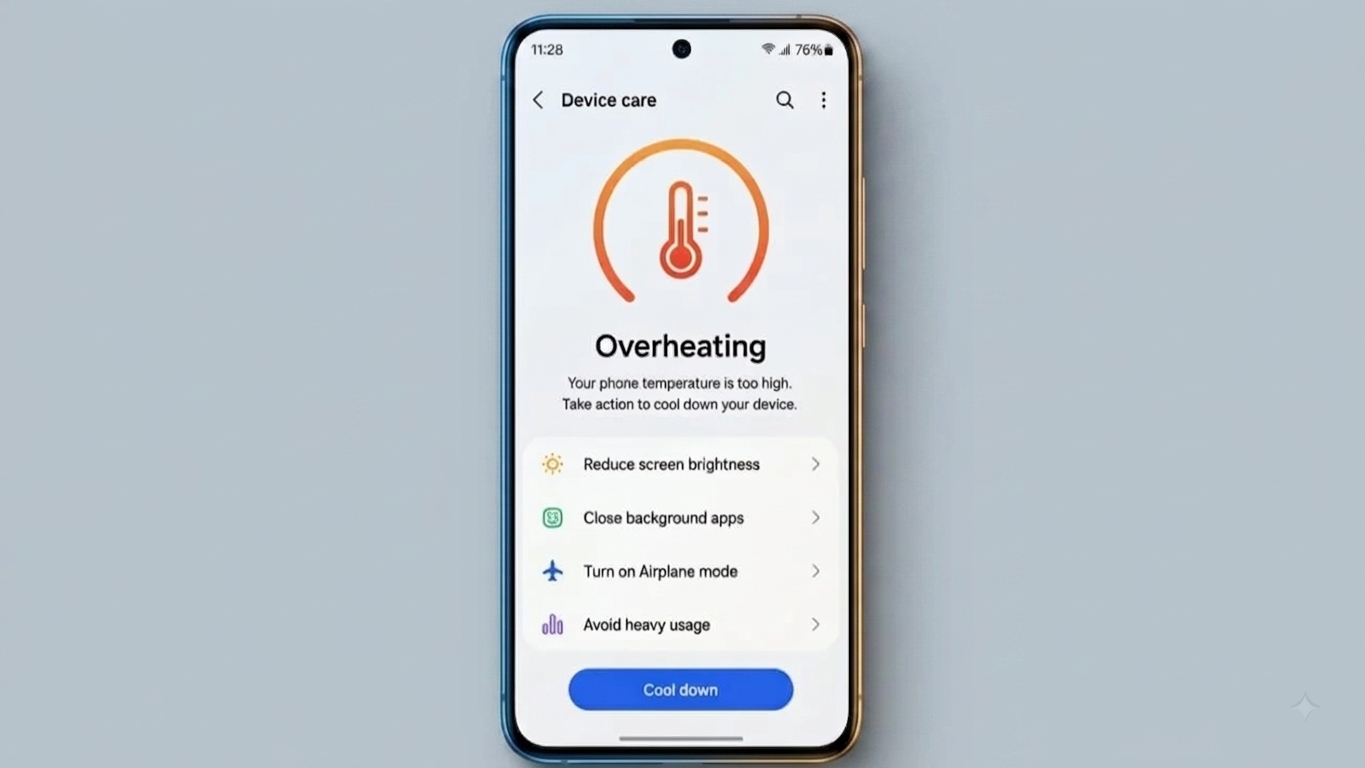
It is completely normal for a smartphone to become slightly warm while charging, playing demanding games, using the camera, or running resource-intensive applications. However, if your device frequently becomes unusually hot, it should not be ignored.
Excessive heat can affect battery health, cause performance issues, and potentially shorten the lifespan of internal components. Fortunately, you can often reduce smartphone overheating by changing a few everyday habits.
Also Read: How to Fix YouTube Crashing on Android, iPhone, and Web Browser
Why Does Your Phone Get Hot?
A phone produces heat whenever its processor, battery, display, or other components are working harder than usual. Some of the most common situations include:
- Playing graphics-intensive games for long periods
- Recording high-resolution videos
- Using video-editing applications
- Keeping many demanding apps active
- Charging while performing heavy tasks
- Using the phone under direct sunlight
- Poor network reception, which can make the phone work harder
- Using wireless or fast charging, which may produce additional warmth
A little warmth during these activities is generally expected. The concern is when the phone becomes excessively hot or remains hot for an extended period.
Give Your Phone a Break From Heavy Tasks
If your phone starts getting noticeably warm while gaming, recording videos, or editing content, pause the activity for a while.
For example, recording at a lower resolution such as 1080p instead of 4K can reduce the processing workload on some devices. Similarly, lowering graphics settings in demanding games may help reduce power consumption and heat.
You don’t need to stop using these features completely. The key is to give the device enough time to cool between intensive tasks.
Avoid Using the Phone Heavily While Charging
Charging naturally produces some heat, and using a demanding application at the same time can increase the temperature further.
Try to avoid activities such as gaming, video editing, or long camera sessions while your phone is charging. If the device becomes unusually hot during charging, disconnect it and allow it to cool.
Using the original charger or a compatible, certified charger recommended for your device is also a good practice.
Check Apps Running in the Background
Sometimes an application can continue consuming battery and system resources even when you aren’t actively using it.
If your phone feels warmer than usual:
- Close applications you no longer need.
- Check which apps are consuming the most battery.
- Restrict unnecessary background activity where your phone provides that option.
- Restart the device if it continues behaving unusually.
If one particular application consistently causes excessive battery usage or heat, check whether an update is available or consider removing it if you no longer need it.
Keep Your Phone Away From Direct Heat
External temperatures can have a major effect on your smartphone.
Avoid using or storing your phone:
- Under direct sunlight for long periods
- Near heaters or other heat sources
- Inside a parked car on a hot day
- Under pillows or blankets while it is running
- In places where heat cannot escape easily
A thick protective case can sometimes retain heat. If the phone is already hot, temporarily removing the case may help it release heat more effectively.
What Should You Do When Your Phone Gets Too Hot?
When your phone becomes unusually hot, stop demanding tasks and move it to a cool, dry place away from direct sunlight.
You can also reduce screen brightness and temporarily disable features you aren’t using, such as GPS or Bluetooth.
The safest approach is to let the phone cool down naturally.
Never Put an Overheated Phone in a Refrigerator
Putting a hot smartphone inside a refrigerator or freezer may seem like a quick solution, but it is not recommended. A sudden temperature change can create condensation and potentially damage electronic components.
Instead, switch the phone off if necessary and allow it to return to a normal temperature naturally.
Watch for Signs of a Battery Problem
Repeated overheating during normal activities can sometimes indicate a battery or hardware issue.
Pay particular attention if you notice:
- The phone becoming extremely hot without heavy use
- A battery that appears swollen
- The screen or back panel separating from the phone body
- Unexpected shutdowns
- Unusual smells or visible physical damage
- Excessive heat while simply charging
If you notice a swollen battery or physical separation of the phone, stop using the device and seek assistance from a qualified technician or the manufacturer’s authorized service center.
Do not attempt to open or puncture a damaged battery yourself.
Keep Your Phone’s Software Updated
Software updates can include bug fixes, security improvements, and performance optimizations. Keeping your operating system and important applications updated may help prevent problems caused by software bugs or excessive background activity.
It is also worth uninstalling applications that you no longer use. Fewer unnecessary apps can make it easier to manage battery usage and system resources.
Don’t Ignore Repeated Overheating
Occasional warmth is usually not a reason for concern. The situation is different when your smartphone repeatedly becomes very hot during ordinary tasks.
If you’ve already reduced heavy usage, removed unnecessary background activity, kept the software updated, and avoided excessive environmental heat but the problem continues, professional diagnosis may be necessary.
Possible causes can include problems with the battery, charging system, temperature sensors, or other internal components. A qualified technician can inspect the device and determine the actual cause rather than relying on guesswork.
Also Read: How to Fix Chrome Not Opening on Android: Easy Ways to Get It Working Again
Final Thoughts
A warm phone is not necessarily a sign of damage. Gaming, charging, video recording, navigation, and other demanding activities can naturally increase a smartphone’s temperature.
The best approach is to avoid unnecessary strain, keep the device away from extreme heat, allow it to cool naturally, and pay attention to unusual warning signs. If overheating becomes frequent or happens during light usage, getting the phone professionally checked is the safer option.

Sourav Gorai, founder of sabhigyan.com, is passionate about technology, smartphones, apps, and digital tools. With 8+ years of experience in the digital and tech space, he focuses on creating easy-to-understand, practical, and helpful content that makes everyday technology simpler for readers.