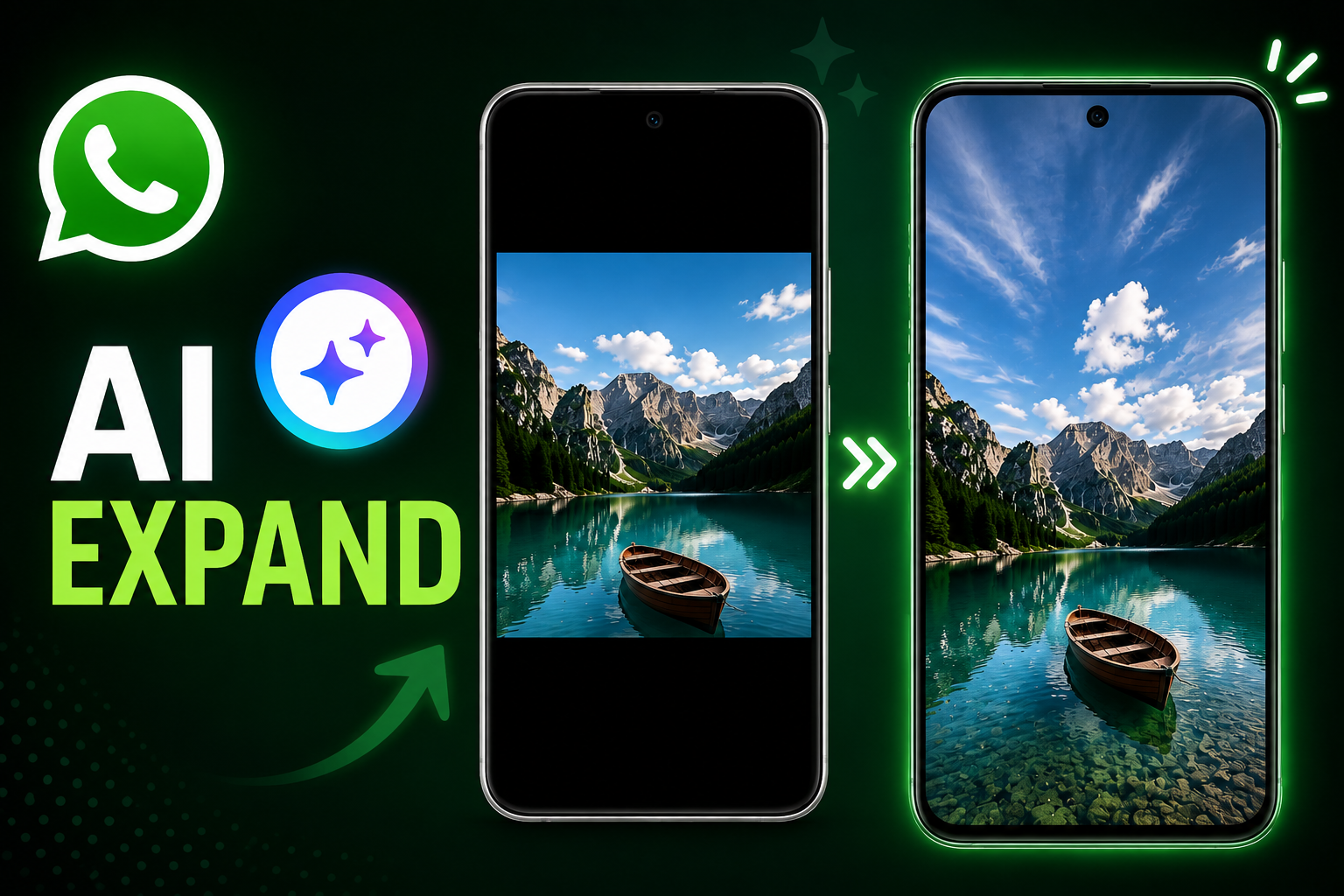
Sharing photos on WhatsApp Status can be frustrating when the original image does not match the platform’s vertical layout. A landscape or square picture may leave large empty areas around it, while cropping the image can remove important parts of the frame.
WhatsApp appears to be working on a solution for this problem. The messaging platform is developing an AI-based photo expansion feature that could use Meta AI to extend an image and make it better suited for the 9:16 vertical format used by Status updates.
Also Read: How to Schedule WhatsApp Messages in the Future: A Feature That May Soon Arrive
Meta AI Could Make Photos Fit WhatsApp Status
According to information spotted in WhatsApp beta for Android version 2.26.33.2, the company is developing a new photo editing option called “Expand.”
The feature is designed for situations where an image does not naturally fit the vertical dimensions of a WhatsApp Status. Instead of forcing users to crop the picture or leave blank space around it, the tool could generate additional content around the existing image.
The option is reportedly available through WhatsApp’s photo editing interface. Users can open an image, access the editing tools and look for the new Expand option within the available editing controls.
How the AI Photo Expansion May Work
Once the user selects Expand, Meta AI analyzes the original picture and attempts to extend its surroundings. The generated area is intended to blend with the existing scene so that the complete image can fit the vertical Status format more naturally.
For example, if a landscape photograph contains a person standing in the center, the AI may generate additional background above and below the original frame rather than simply enlarging or stretching the existing pixels.
This is different from conventional resizing. A normal resize changes the dimensions of the existing image, while an AI expansion tool attempts to create additional visual content based on what is already visible in the photograph.
Why This Could Be Useful for WhatsApp Status
WhatsApp Status is primarily designed around a vertical viewing experience. When users upload images with a different aspect ratio, they generally have to choose between cropping the image or accepting unused space around it.
The upcoming tool could provide another option.
Users may be able to preserve more of the original photograph while allowing AI to create the extra background needed to fit the Status frame. This could be particularly useful for landscape photographs, older pictures and images originally captured for other platforms.
However, the final result may vary depending on the photograph. Images with a clear and consistent background could be easier for an AI system to extend than pictures containing complicated objects, people or detailed surroundings.
The Feature Is Still Being Developed
The Meta AI-powered photo expansion tool is not currently available to everyone. The feature has reportedly been spotted during development in a WhatsApp beta build, which means its interface and functionality could change before a wider release.
WhatsApp may first make the feature available to a limited group of beta testers before considering a broader rollout. There is also no guarantee that every feature discovered in a beta version will eventually reach the stable version of the app.
For now, users will need to wait for an official rollout before they can use the Expand option on their own WhatsApp Status photos.
Also Read: How to Send WhatsApp Messages Later on Android and iPhone
Final Thoughts
WhatsApp’s possible AI photo expansion feature could make sharing differently sized pictures on Status more convenient. Instead of immediately cropping a photo or leaving empty areas around it, users may eventually be able to let Meta AI generate additional background and adapt the image to a vertical layout.
Since the feature is still under development, its final appearance, availability and performance may change. WhatsApp is yet to make the feature broadly available, so users should treat current beta reports as an early look rather than a confirmed release schedule.
Disclaimer: Features discovered in beta versions may not be available to all users and can be changed, delayed or removed before an official release.

Sourav Gorai, founder of sabhigyan.com, is passionate about technology, smartphones, apps, and digital tools. With 8+ years of experience in the digital and tech space, he focuses on creating easy-to-understand, practical, and helpful content that makes everyday technology simpler for readers.