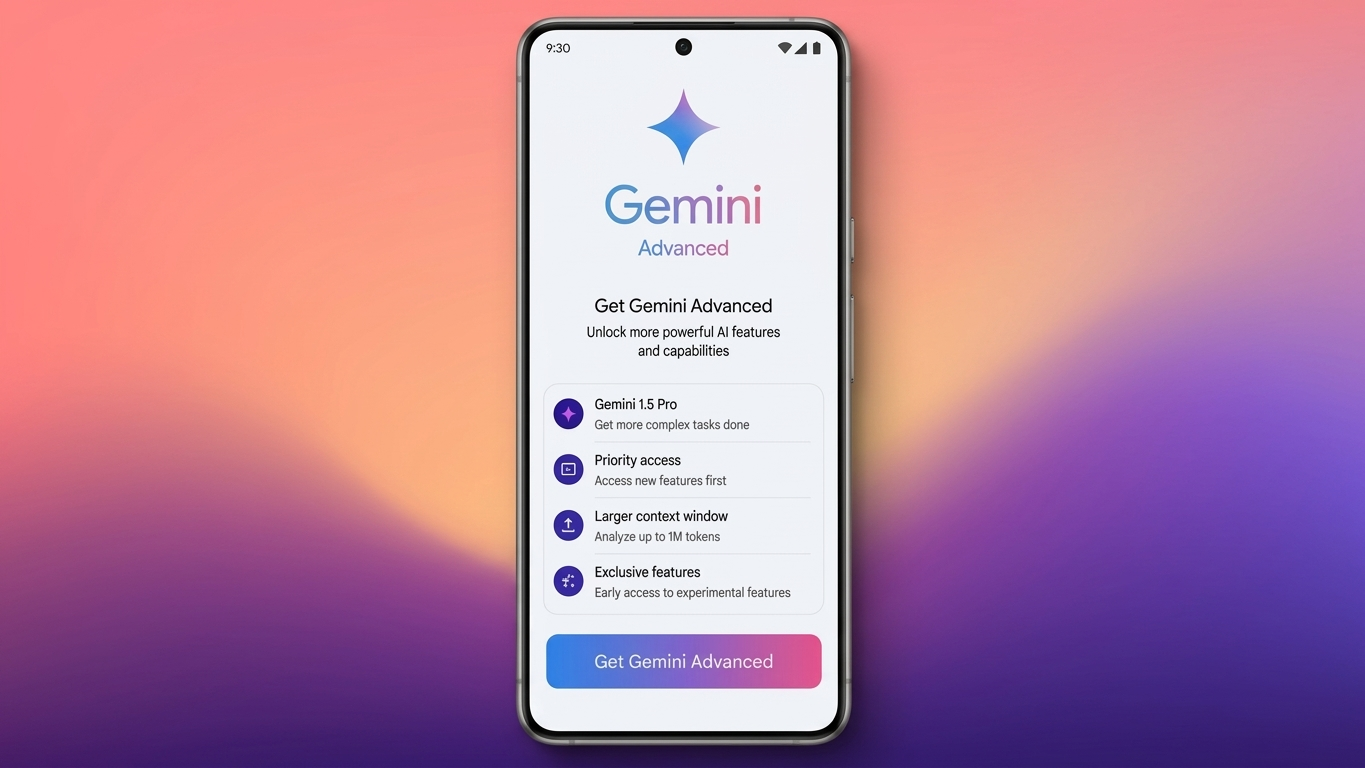
Artificial intelligence has become an important part of work, education, and daily productivity. If you want access to Google’s premium AI experience, Gemini Advanced offers more powerful AI capabilities along with additional Google One benefits.
Whether you need help with writing, coding, brainstorming ideas, research, or everyday tasks, this guide explains how to subscribe, what features are included, and how to manage your membership after signing up.
Also Read: How to Tag Someone on Instagram Posts (Complete Beginner-Friendly Guide)
What Is Gemini Advanced?
Gemini Advanced is Google’s premium AI subscription that provides access to advanced Gemini models designed for more demanding tasks than the standard free version.
It is suitable for people who regularly use AI for professional work, studies, content creation, software development, research, and complex problem-solving.
Google continues to improve Gemini by introducing newer AI models and expanding available features through the Google One AI Premium plan.
Why Choose Gemini Advanced?
Compared to the free experience, Gemini Advanced provides additional capabilities that can improve productivity.
Some of the major advantages include:
- Access to Google’s premium AI models
- Better performance for detailed writing and research
- Improved coding assistance
- Creative brainstorming support
- Integration with Google One AI Premium
- 2 TB Google Drive cloud storage
- Extra Google One member benefits
- Additional Google Meet features (where available)
- Eligible Google Play perks in supported regions
Some features may vary depending on your location and Google account.
How to Subscribe to Gemini Advanced
Signing up is simple and usually takes only a few minutes.
Step 1: Sign In
Log in using the Google account you want to use with Gemini.
Step 2: Open the Gemini Subscription Page
Visit the official Gemini subscription page and review the available plans.
Step 3: Select Google One AI Premium
Choose the AI Premium subscription that includes Gemini Advanced.
Step 4: Review the Plan
Read the subscription details, included services, pricing, and storage information before continuing.
Step 5: Start Your Subscription
Click the available button such as Upgrade, Subscribe, or Start Trial if a promotional trial is available for your account.
Step 6: Complete Payment
Enter your payment details (if required), accept Google’s terms, and confirm your purchase.
Once payment is processed, your subscription becomes active and premium features are unlocked.
Free Trial Availability
Google occasionally provides free trial offers for eligible users. However, these promotions are not permanent.
Trial availability depends on factors such as:
- Your Google account
- Your country or region
- Current promotional campaigns
- Previous subscription history
If a trial is available, it will appear during the signup process.
What Happens After Activation?
After your membership is activated, you’ll immediately gain access to premium Gemini features.
You may also notice:
- Premium AI model selection
- Google One AI Premium benefits
- Additional cloud storage
- Personalized AI settings
In some cases, Gemini may automatically switch to Dark Mode, although you can change the appearance at any time through the settings menu.
How to Switch Between Gemini Models
Depending on your subscription, multiple AI models may be available.
On a Computer
- Open Gemini.
- Click the model selector.
- Choose the premium Gemini model.
- Switch back whenever you want.
On Mobile Devices
- Open the Gemini app.
- Tap your profile picture.
- Open Settings.
- Select the available AI model or response preferences.
The available options depend on your subscription level.
Tips to Get Better AI Responses
The quality of Gemini’s answers depends largely on the prompt you provide.
For improved results:
- Write clear instructions.
- Explain exactly what you need.
- Include useful background information.
- Mention your preferred writing style.
- Break complicated requests into smaller tasks.
- Be specific about the desired output.
Well-written prompts generally produce more accurate and relevant responses.
Creating AI Images with Gemini
Gemini can also generate AI-created images when supported by your account and region.
For better image results:
- Describe the subject clearly.
- Mention colors, lighting, and background.
- Specify the artistic style if needed.
- Include important visual details.
Image generation features may differ based on your account type, country, and the Gemini version available to you.
Managing Your Privacy
Gemini allows users to manage conversation history and activity settings.
You can usually:
- Review previous chats
- Delete selected conversations
- Remove conversation history
- Adjust activity retention settings
- Change available privacy preferences
Checking these settings from time to time helps you keep your account organized and aligned with your privacy preferences.
How to Change or Cancel Your Subscription
If you decide that Gemini Advanced no longer meets your needs, you can manage your membership through Google One.
On Desktop
- Open Settings.
- Select Manage Subscription.
- Choose a different Google One plan or cancel your membership.
On Mobile
- Open the Google One app.
- Go to Membership Plans.
- Select another plan or cancel your subscription.
After cancellation or downgrading, premium AI features will no longer be available. If your cloud storage limit is reduced, make sure your stored files fit within the new storage capacity.
Is Gemini Advanced Worth It?
Gemini Advanced is best suited for users who frequently rely on AI for productivity, professional work, education, coding, writing, or research.
If you only use AI occasionally for simple questions, the free version may already be sufficient. However, users who need more capable AI models and additional Google One benefits may find the premium subscription worthwhile.
Also Read: How to Disable Google Health Coach in the Google Health App
Final Thoughts
Gemini Advanced combines Google’s latest AI capabilities with useful Google One benefits, making it a strong choice for users who want a more powerful AI experience. The subscription process is simple, and you remain in control of your membership, privacy settings, and plan at all times.
Before purchasing, compare the available subscription options and choose the one that best matches your budget and daily requirements.

Ankita Kumar, founder of sabhigyan.com, is passionate about technology, smartphones, apps, and digital tools. With 8+ years of experience in the digital and tech space, he focuses on creating easy-to-understand, practical, and helpful content that makes everyday technology simpler for readers.
Advertisements
1 thought on “How to Get Gemini Advanced: Complete Subscription Guide (2026)”