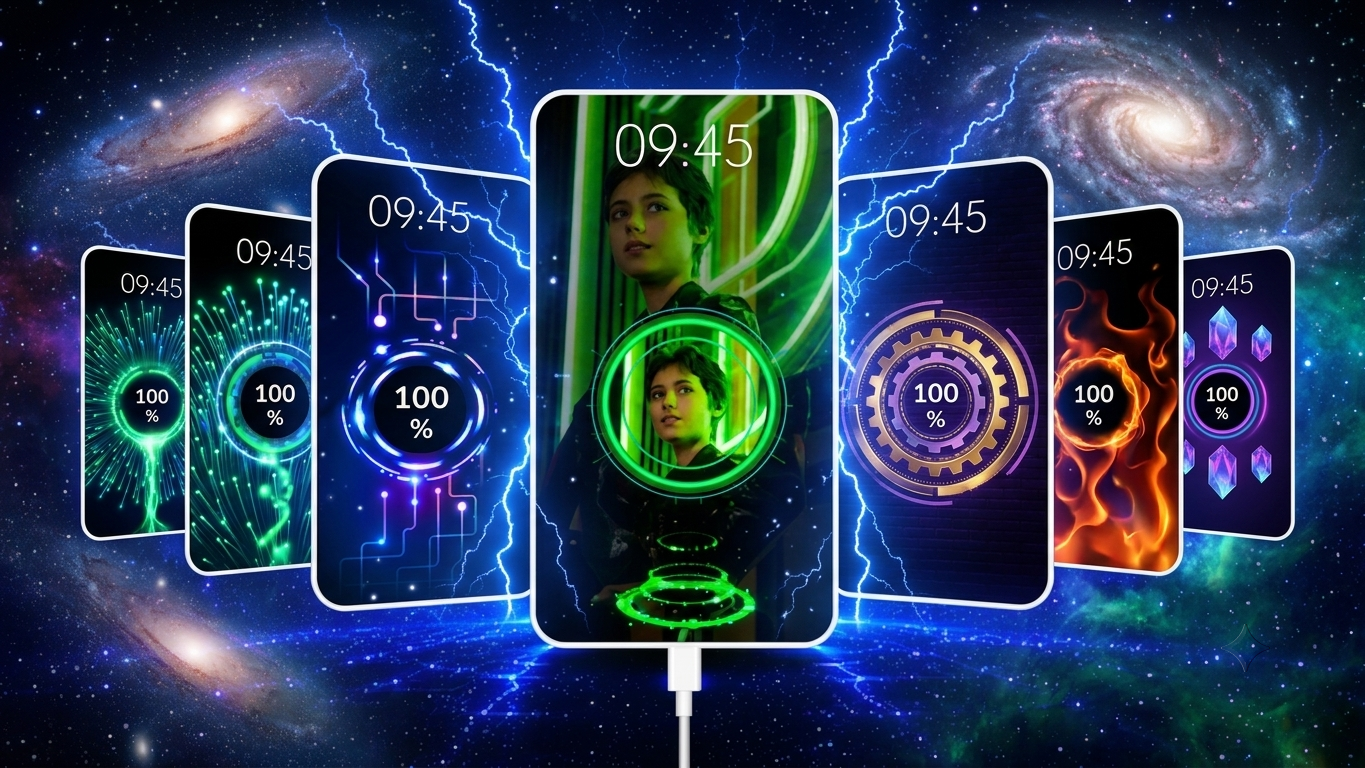
Most Android phones display a basic charging screen that gets the job done but doesn’t offer much in terms of style. If you enjoy customizing your smartphone, adding animated charging effects is an easy way to make your device feel more unique. Battery Charging Animation 4K is designed for users who want eye-catching charging visuals along with useful battery details whenever their phone is plugged in.
Instead of the default charging display, the app shows colorful animations, modern effects, and stylish themes that can make charging look more engaging.
Also Read: How to Send WhatsApp Messages Later on Android and iPhone
What Is Battery Charging Animation 4K?
Battery Charging Animation 4K is an Android customization app that replaces the standard charging screen with animated visuals. Once enabled, the selected animation automatically appears every time your device starts charging.
The app focuses on improving the appearance of the charging experience while also providing quick access to battery-related information.
Top Features of Battery Charging Animation 4K
High-Resolution Charging Animations
One of the biggest highlights of the app is its collection of high-quality charging animations. Smooth visual effects and vibrant graphics can give your charging screen a more polished appearance.
Wide Collection of Charging Themes
Users can choose from a variety of animation styles to match their preferences, including:
- Neon-inspired designs
- RGB lighting effects
- Electric charging animations
- Futuristic visuals
- Energy flow effects
- Gaming-themed charging screens
Switching between themes is simple, allowing you to personalize your phone whenever you like.
Battery Status at a Glance
Besides visual effects, the app can display useful battery information while charging, such as:
- Current battery percentage
- Charging status
- Battery temperature
- Battery health (where supported)
- Voltage details
Having these details available on the charging screen makes it easier to monitor your device.
Simple User Interface
The app offers a clean layout that’s easy to navigate. Even first-time users can quickly find the available settings and customize their charging animation without much effort.
Smooth Performance
Despite offering animated effects, the app is designed to work efficiently on many Android devices. Performance may vary depending on your phone’s hardware and software version.
Why Many Android Users Like Charging Animation Apps
Personalization has become a major part of the Android experience. While wallpapers and icon packs are common, charging animations offer another way to customize your device.
Some reasons users enjoy these apps include:
- Making the charging screen more attractive
- Giving the phone a personalized appearance
- Exploring different animation styles
- Viewing battery information while charging
- Refreshing the overall look of the device
Setting Up Battery Charging Animation 4K
Getting started is straightforward:
- Install the app from the Google Play Store.
- Launch the app.
- Grant only the permissions required for its features.
- Browse the available charging animations.
- Select your preferred design and enable it.
Once configured, the animation should appear automatically whenever the charger is connected.
Charging Animation Styles Available
The app includes multiple visual categories, such as:
Neon Effects
Bright glowing colors designed for a modern appearance.
Lightning Animations
Electric-inspired effects that create a dynamic charging display.
Futuristic Themes
Minimal yet stylish designs influenced by modern digital interfaces.
RGB Lighting
Colorful animations that may appeal to gaming enthusiasts.
Energy Flow Effects
Visual animations that simulate energy moving into the battery during charging.
Battery Monitoring Features
Depending on device compatibility, the app may display useful charging details, including:
- Charging progress
- Estimated charging information
- Battery temperature
- Battery health
- Current charging status
These details can help users keep an eye on their device during charging.
Does a Charging Animation App Harm Your Battery?
Charging animation apps mainly change what appears on the screen while the phone is charging. They generally do not directly affect battery health simply by displaying animations.
However, for a better experience:
- Download apps only from trusted sources like the Google Play Store.
- Review requested permissions before granting access.
- Keep the app updated to the latest version.
- Disable features you don’t use.
Who May Enjoy This App?
Battery Charging Animation 4K can be suitable for a wide range of Android users, including:
- Android customization fans
- Mobile gaming enthusiasts
- Technology lovers
- Students
- Content creators
- Smartphone reviewers
Anyone interested in giving their charging screen a fresh look may find it worth exploring.
What Makes Battery Charging Animation 4K Stand Out?
Several features help distinguish it from similar customization apps:
- High-quality animated visuals
- Large collection of themes
- Easy setup process
- Clean interface
- Compatibility with many Android devices
- Lightweight overall experience
Helpful for Social Media Content
Creators who make smartphone-related content may find charging animations useful for showcasing customized setups in videos.
Some popular content ideas include:
- Android customization showcases
- App reviews
- Mobile setup tours
- Smartphone tips
- Short-form videos featuring charging effects
Creative presentation and editing remain the biggest factors in producing engaging content.
Privacy and Permissions
Before installing any customization app, it’s a good idea to review the permissions it requests.
Some charging animation apps may require permissions such as:
- Display over other apps
- Notification access
- Battery information access
Only grant permissions that are necessary for the app’s intended functionality.
Also Read: How to Customize Your Phone’s Volume Panel with NoVolume
Final Thoughts
Battery Charging Animation 4K offers an easy way to personalize your Android charging screen with animated effects and customizable themes. Along with visual enhancements, it may also provide convenient battery information during charging, making it a practical option for users who enjoy phone customization.
If you’re looking for a fresh charging screen without changing your phone’s overall interface, this app could be worth trying.

Ankita Kumar, founder of sabhigyan.com, is passionate about technology, smartphones, apps, and digital tools. With 8+ years of experience in the digital and tech space, he focuses on creating easy-to-understand, practical, and helpful content that makes everyday technology simpler for readers.
Advertisements