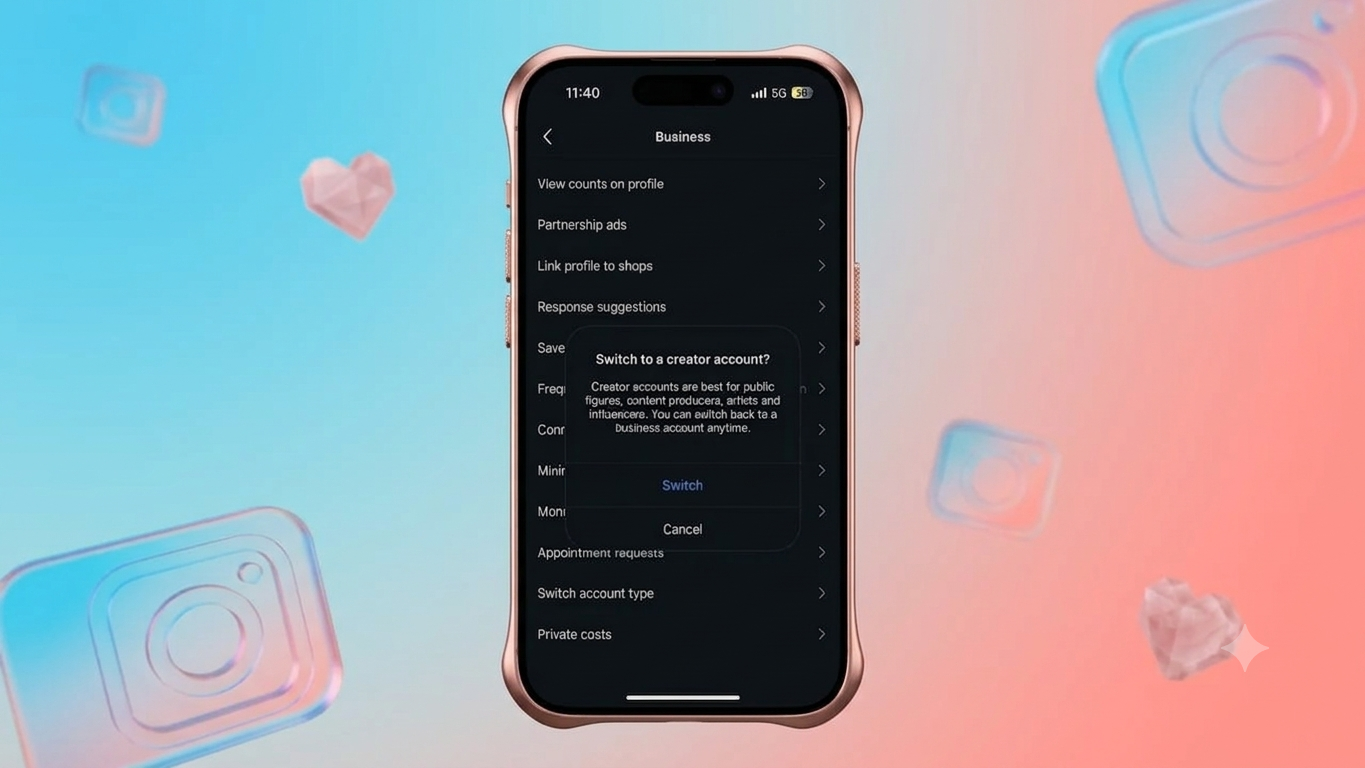
Instagram gives businesses and creators several professional tools for tracking performance, promoting posts, and connecting with customers. But if you no longer need those features, you can change your profile back to a regular Personal account.
The process is straightforward and usually takes only a few taps in the Instagram app. Below, we’ll explain how to switch account types, what happens to your existing content, and what you should know before making the change.
Also Read: How to Tag Someone on Instagram Posts (Complete Beginner-Friendly Guide)
Why Switch From a Business Account to Personal?
A Business account can be useful when you are managing a brand, promoting products, or checking detailed account statistics. However, those features may not be necessary for someone who mainly uses Instagram to share photos, videos, Reels, or Stories with friends and followers.
Switching to a Personal account can make sense if:
- You no longer use Instagram for business purposes.
- You don’t need professional analytics or advertising tools.
- You want the option to make your profile private.
- You prefer a simpler Instagram experience.
- You have stopped promoting products or services through your account.
Before You Switch, Keep This in Mind
Changing your account type does not mean deleting your Instagram profile. Your existing account remains intact.
Your:
- Photos and videos
- Reels and Stories
- Followers and following
- Direct messages
- Username
- Profile information
will generally remain on the account.
The main difference is that professional features associated with the Business account will no longer be available.
Steps to Change Instagram Business Account to Personal
Instagram’s menu names can vary slightly depending on the app version and device. If you don’t see an option in exactly the same location, look for Account type or Account type and tools within the professional settings.
Option 1: Using the Professional Dashboard
- Open the Instagram app.
- Visit your profile.
- Open the Professional Dashboard.
- Look for the account settings option.
- Tap Switch account type.
- Select Switch to Personal Account.
- Confirm the change when Instagram asks you to do so.
Once the change is confirmed, your profile will be converted to a Personal account.
Option 2: Through Instagram Settings
You can also access the account-type option through the main settings menu.
- Open Instagram and tap your profile picture.
- Tap the ☰ menu in the upper-right corner.
- Find Account type and tools under the professional section.
- Tap Account type.
- Choose Switch account type.
- Select Switch to Personal Account.
- Confirm your choice.
The account type should change after you complete the confirmation.
What Happens After Switching to a Personal Account?
The most important thing to understand is that changing the account type isn’t the same as deleting or resetting your profile.
Your existing content and followers aren’t removed simply because you changed from Business to Personal.
However, some professional features will no longer be available.
Features You May Lose
After moving to a Personal account, you may no longer have access to features such as:
- Instagram Insights and professional analytics
- Business-related advertising and promotion tools
- Professional Dashboard
- Business contact options
- Certain professional account management features
- Business-specific profile options
The exact features available can change as Instagram updates its services.
What Stays on Your Account?
Your regular Instagram activity remains associated with the same profile. This includes:
- Published posts
- Reels
- Stories and story-related content
- Followers
- Following accounts
- Direct messages
- Username
- Existing profile details
So, you don’t need to create another Instagram account just because you want to stop using Business features.
Personal vs. Business Instagram Account
| Feature | Personal Account | Business Account |
|---|---|---|
| Designed for | Everyday users | Businesses and brands |
| Professional insights | No | Yes |
| Advertising tools | Limited/not available as professional tools | Yes |
| Professional Dashboard | No | Yes |
| Business contact options | No | Yes |
| Private profile | Yes | No |
| Business features | No | Yes |
| Category information | No professional category label | Yes |
Instagram features and availability can vary by account, region, and app version.
Does Switching to Personal Delete Followers or Posts?
No. Switching the account type itself does not delete your followers, posts, Reels, or messages.
The change is primarily about the type of account and the features available with it. Your existing profile continues to be used rather than starting from scratch.
Can You Switch Back to a Business Account?
Yes. If you later decide that you need professional features again, you can change your Personal account to a professional account.
This means you don’t have to create a completely new Instagram profile just because your needs have changed. You can choose the account type that makes the most sense for how you’re currently using Instagram.
Is a Personal Account Better for You?
There isn’t one account type that’s best for everyone.
A Personal account may be more suitable if you mainly use Instagram socially, want a private profile, or don’t need professional analytics.
A Business account can be more useful if you’re running a brand, promoting products or services, advertising content, or regularly checking account performance.
Think about how you actually use Instagram before changing the account type. If you rarely use business tools, moving back to Personal may give you a simpler setup.
Also Read: How to Schedule Instagram Messages for Later: Complete Guide
Final Thoughts
Changing an Instagram Business account to a Personal account is a quick process, and you don’t need to create a new profile to do it. Your existing posts, followers, Reels, messages, and other account information can remain on the same account, while professional features are removed or become unavailable.
If you no longer need Instagram’s business tools, switching to a Personal account can be a practical choice. And if your needs change later, you can move back to a professional account again.

Sourav Gorai, founder of sabhigyan.com, is passionate about technology, smartphones, apps, and digital tools. With 8+ years of experience in the digital and tech space, he focuses on creating easy-to-understand, practical, and helpful content that makes everyday technology simpler for readers.