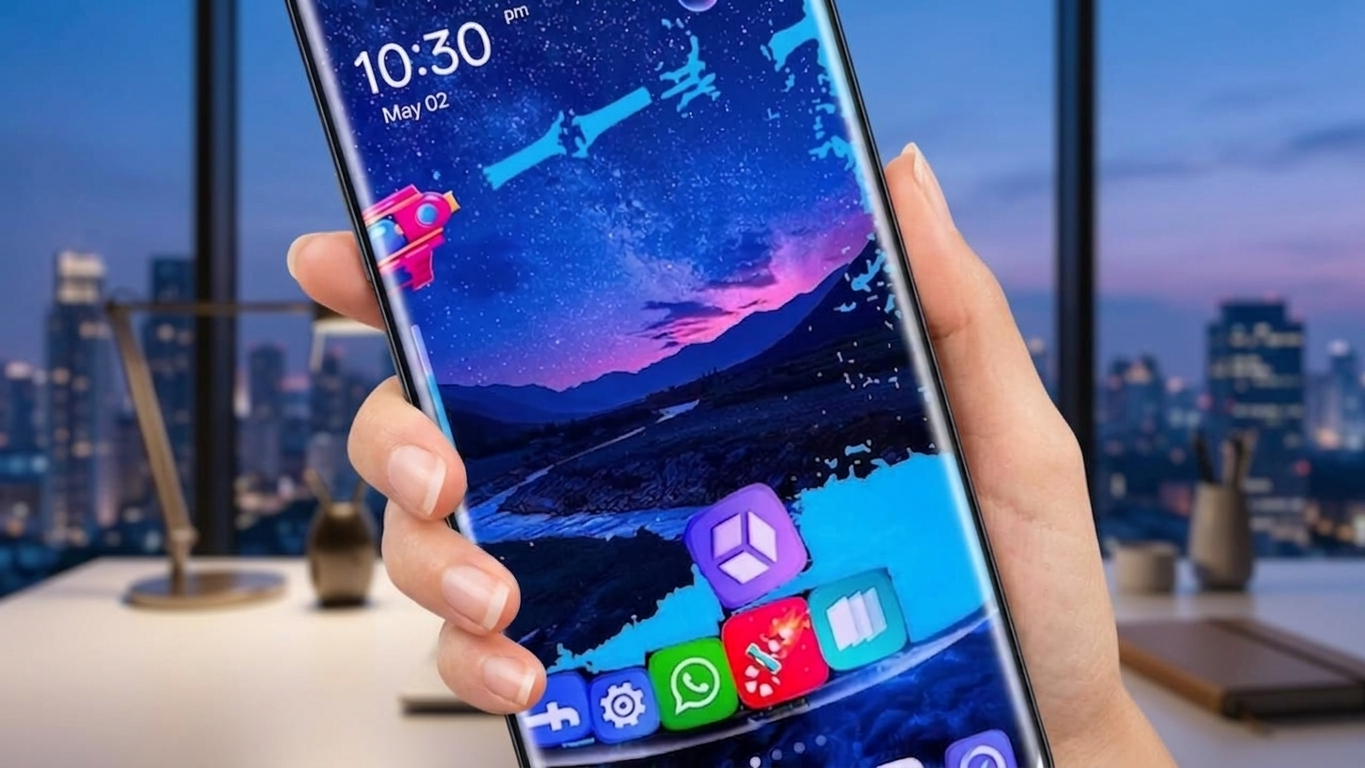
If you’re someone who likes giving your Android phone a unique look, installing a custom launcher can completely change the way your device feels. Instead of sticking with the default interface, you can customize icons, wallpapers, layouts, and animations to create a setup that reflects your personal style. One launcher that offers these customization options is GO Launcher S.
Designed for Android users, GO Launcher S provides a variety of visual enhancements along with practical tools to help organize your home screen. Whether you prefer a clean layout or a colorful design, the app includes several customization features without requiring advanced technical skills.
Also Read: Change Your Android Home Screen with Alpha Hybrid Launcher 4D
What Is GO Launcher S?
GO Launcher S is a third-party Android launcher that replaces the default home screen interface. It allows users to redesign different parts of their device, including app icons, wallpapers, screen transitions, and home screen layouts.
The launcher is built to provide a customizable experience while remaining simple enough for everyday use. It offers a range of personalization options that can help make navigation more enjoyable.
Main Features of GO Launcher S
Wide Selection of Themes
One of the standout aspects of GO Launcher S is its collection of themes. Users can choose from different visual styles to give their device a completely new appearance.
Some theme highlights include:
- Stylish 3D-inspired designs
- Animated interface effects
- Creative icon packs
- Modern and colorful layouts
Changing themes is a quick way to refresh the overall look of your phone.
High-Quality Wallpapers
GO Launcher S includes access to a variety of HD wallpapers suitable for different tastes. Whether you enjoy simple backgrounds or artistic designs, there are multiple categories to explore.
Popular wallpaper styles include:
- Nature scenery
- Minimalist designs
- Abstract artwork
- Dark and AMOLED-friendly backgrounds
New wallpaper collections may become available through future app updates.
Smooth Navigation
A launcher should improve the user experience rather than slow it down. GO Launcher S focuses on delivering smooth navigation with responsive screen transitions and easy access to apps.
Some performance-related benefits include:
- Lightweight interface
- Simple navigation
- Responsive home screen controls
- Efficient use of device resources
Performance may vary depending on your Android version and device specifications.
Privacy Options
GO Launcher S also includes features intended to help users manage app privacy and organization.
Depending on the version of the app, available options may include:
- App lock functionality
- Hidden app support
- Privacy-related settings
Before enabling these features, it’s a good idea to review the app permissions and security settings.
Flexible Home Screen Customization
Customization is the biggest reason many Android users install third-party launchers. GO Launcher S offers several ways to personalize your device.
You can customize:
- Icon size and appearance
- Home screen grid layout
- Folder styles
- Screen transition animations
- Widget placement
These options allow you to build a home screen that suits your preferences.
Smart Productivity Features
Beyond appearance, the launcher also includes tools that can improve daily usability.
Useful functions may include:
- Quick app search
- Gesture shortcuts
- Better app organization
- Easy access to frequently used applications
These features can help make everyday navigation faster and more convenient.
Why Users Install GO Launcher S
Many Android launchers are available, but GO Launcher S continues to attract users because it offers a balance between design and functionality.
Some reasons people choose it include:
- Simple setup process
- User-friendly interface
- Free core features
- Attractive themes and wallpapers
- Regular feature and performance updates
It’s suitable for both beginners and users who enjoy customizing every part of their home screen.
How to Set Up GO Launcher S
Getting started is straightforward:
- Download GO Launcher S from the Google Play Store.
- Install and launch the application.
- Set it as your default launcher if you want it to replace your existing home screen.
- Browse available themes, wallpapers, and icon styles.
- Adjust the customization settings to create your preferred layout.
Within a few minutes, you can completely transform the appearance of your Android device.
Who Should Try GO Launcher S?
GO Launcher S may be a good option for:
- Android users who enjoy personalizing their phones
- People looking for a lightweight launcher
- Users interested in changing themes and icon styles
- Anyone wanting a fresh home screen without complicated setup
Tips for a Better Experience
To help maintain smooth performance, consider these suggestions:
- Choose lightweight themes if your phone has limited hardware resources.
- Turn off visual effects you don’t regularly use.
- Remove unnecessary files and clear app cache from time to time.
- Keep both the launcher and your Android system updated whenever possible.
Also Read: Lighter Simulator App for Android Delivers Realistic Concert-Style Flame Effects

Final Thoughts
GO Launcher S offers a practical way to refresh your Android home screen with customizable themes, wallpapers, icons, and layout options. Its combination of visual personalization and useful navigation tools makes it a suitable choice for users who want more control over their device’s appearance.
If you’re looking for an easy way to give your Android phone a new look without making complex changes, GO Launcher S is worth exploring.

Ankita Kumar, founder of sabhigyan.com, is passionate about technology, smartphones, apps, and digital tools. With 8+ years of experience in the digital and tech space, he focuses on creating easy-to-understand, practical, and helpful content that makes everyday technology simpler for readers.
Advertisements