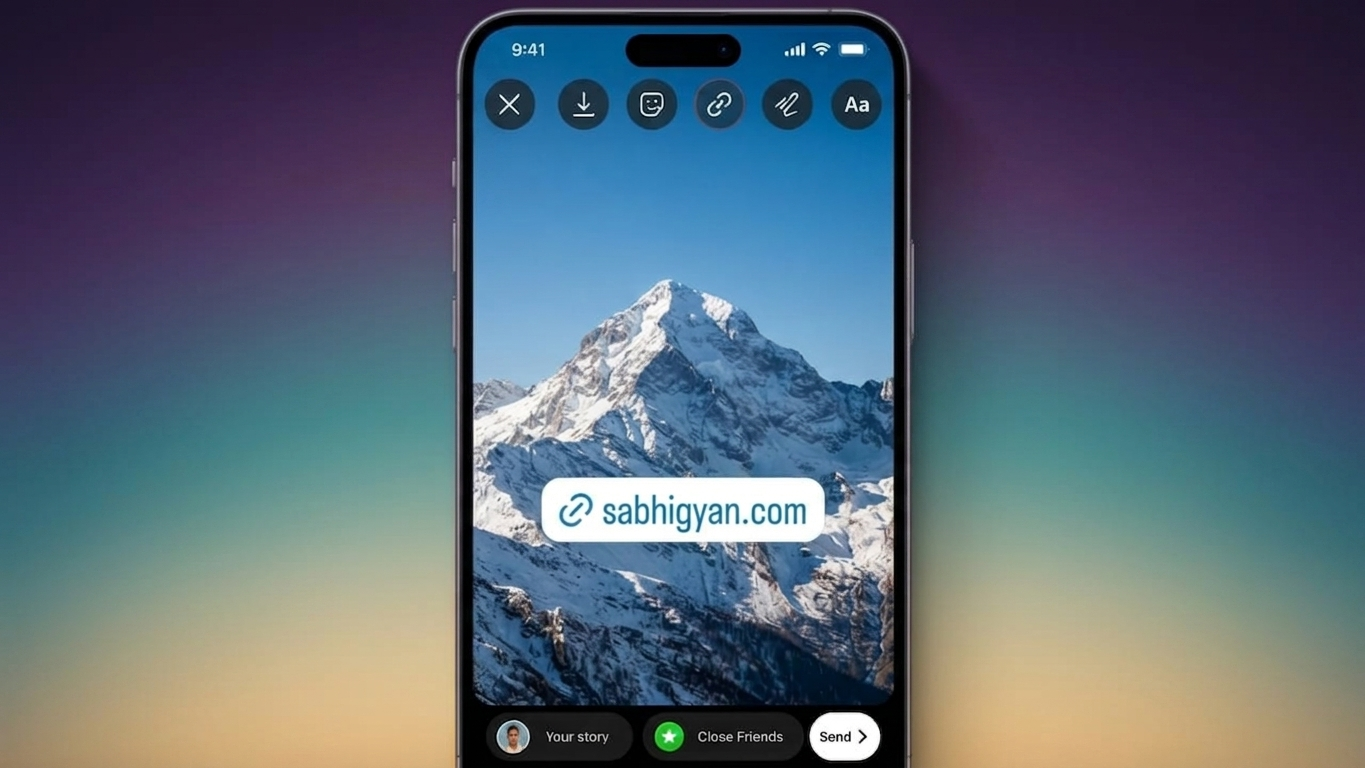
Instagram Stories are a powerful way to connect with your audience, whether you’re sharing updates, promoting a product, or directing people to useful content. Thanks to Instagram’s Link Sticker feature, you can add a clickable website link directly to your Story, allowing viewers to open a webpage with a single tap.
This feature is useful for creators, businesses, bloggers, and everyday users who want to make important content easier to access.
Also Read: How to Transfer Text Messages (SMS) from Android to Android
What Is the Instagram Link Sticker?
The Link Sticker is a built-in Instagram feature that lets you attach a website URL to a Story. Instead of asking followers to visit the link in your bio, you can send them straight to the page you want them to see.
It provides a faster and more convenient experience, making it easier for people to explore your content without leaving Instagram to search manually.
Why You Should Add Links to Instagram Stories
Using Story links can help you share valuable content more efficiently. Depending on your goals, you can use them to:
- Send readers to your latest blog post
- Promote products or special offers
- Direct visitors to your online store
- Share event registration or booking pages
- Showcase your portfolio or personal website
- Recommend helpful resources or guides
By reducing unnecessary steps, you make it easier for your audience to reach the information they need.
Step-by-Step: Add a Link to Your Instagram Story
Adding a clickable link is simple. Just follow these steps:
- Launch the Instagram app on your device.
- Create a new Story by capturing a photo, recording a video, or selecting media from your gallery.
- Tap the Sticker icon at the top of the screen.
- Choose the Link sticker from the available options.
- Enter or paste the website URL you want to share.
- Customize the sticker text if you’d like a more engaging call-to-action.
- Move the sticker to a location where it is clearly visible.
- Publish your Story.
Anyone viewing your Story can tap the sticker to visit the linked webpage.
Things to Do Before Posting
A little preparation can improve the overall experience.
- Copy your website URL before opening the Story editor.
- Use a high-quality image or video that matches your message.
- Leave enough space so the sticker doesn’t hide important visuals.
- Double-check that the link opens the correct page before sharing.
Taking a few extra seconds can help avoid mistakes and improve engagement.
Choose a Strong Call-to-Action
The text on your Link Sticker can encourage more people to tap it. Keep your message short, clear, and action-focused.
Some effective examples include:
- Read More
- Learn More
- Visit Website
- Shop Now
- Explore Here
- Register Today
- Get Started
Simple wording usually performs better than displaying a long website address.
Creative Ways to Use Instagram Story Links
The Link Sticker works well for many different purposes.
For example:
- Businesses can guide customers to product or service pages.
- Bloggers can promote newly published articles.
- Freelancers can share their portfolio or booking page.
- Musicians can direct fans to new releases.
- Online stores can feature seasonal collections.
- Event organizers can link to registration forms or ticket pages.
Sending viewers directly to the most relevant destination creates a smoother browsing experience.
Tips to Increase Story Link Clicks
Simply adding a link isn’t always enough. A visually appealing Story can attract more attention.
Here are a few ideas:
- Use arrows or subtle graphics to highlight the Link Sticker.
- Add a short sentence explaining what viewers will find after tapping.
- Keep your design clean and avoid clutter.
- Place the sticker where it’s easy to notice without covering key content.
- Experiment with different layouts and messaging to see what your audience responds to best.
Small design improvements can make your Stories more engaging and easier to interact with.
Common Mistakes to Avoid
To ensure your Story performs well, try to avoid these common issues:
- Sharing broken or incorrect URLs
- Covering important visuals with the sticker
- Using vague or confusing call-to-action text
- Overloading the Story with too much text
- Publishing without testing the link first
A polished Story creates a better experience for your audience.
Also Read: How to Set Up Google Play Store on Windows 11 (Beginner-Friendly Guide – 2026)
Final Thoughts
Instagram’s Link Sticker makes sharing websites quick and convenient. Whether you’re promoting content, selling products, or sharing useful resources, adding a clickable link helps your audience reach the right page with minimal effort.
Pair your link with a clear message, attractive visuals, and thoughtful placement to create Stories that are informative, engaging, and easy to use.

Ankita Kumar, founder of sabhigyan.com, is passionate about technology, smartphones, apps, and digital tools. With 8+ years of experience in the digital and tech space, he focuses on creating easy-to-understand, practical, and helpful content that makes everyday technology simpler for readers.
Advertisements