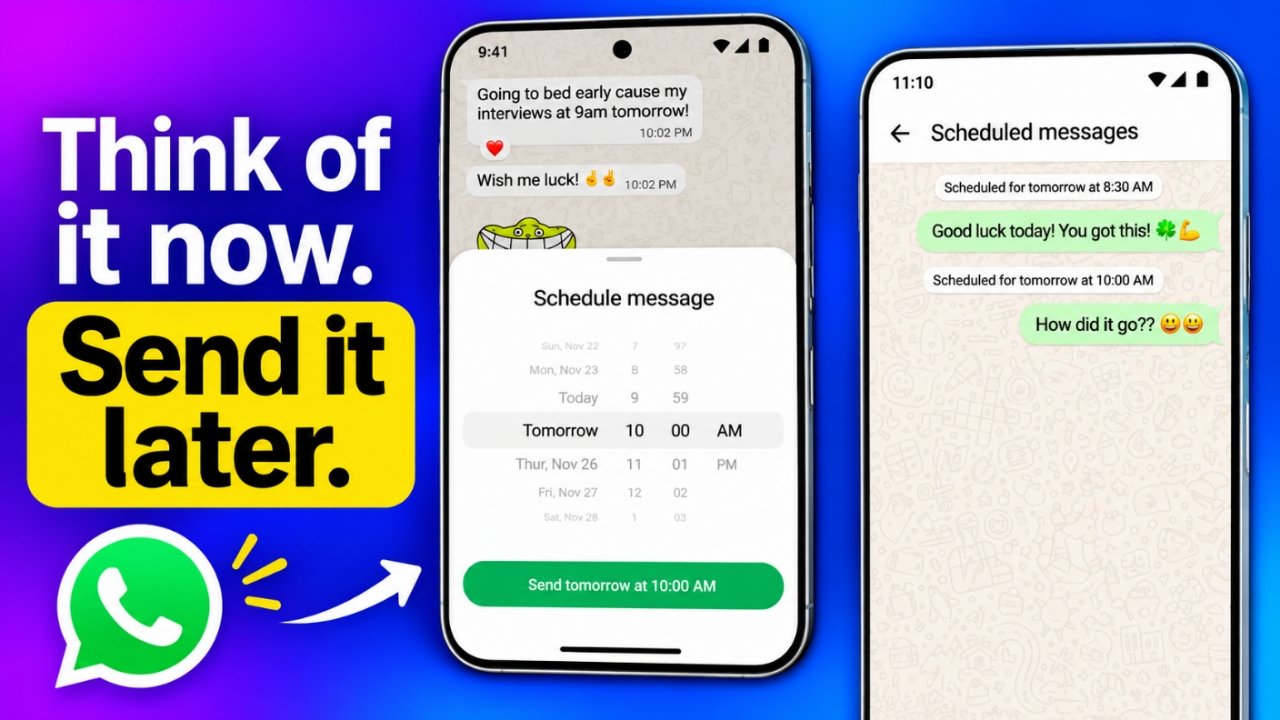
WhatsApp has introduced a convenient message scheduling feature that gives users more control over when their messages are delivered. Instead of remembering to send a message at a particular moment, users can now prepare it in advance and choose an exact delivery time.
This feature can be particularly helpful for sending birthday greetings, wishing someone good luck before an important event, sharing reminders, or contacting friends and family at a suitable time. It also reduces the need to rely on third-party applications or complicated workarounds to schedule WhatsApp messages.
Also Read: WhatsApp Introduces Cloud Backup Storage for Android Users
What Is WhatsApp’s Scheduled Messages Feature?
The scheduled messaging feature allows users to compose messages ahead of time and arrange for WhatsApp to deliver them automatically on a selected date and at a chosen time.
It supports both personal conversations and group chats, making it useful for different communication needs. Users can prepare their messages whenever they have time instead of waiting until the moment they want them delivered.
The feature also supports different types of content, including text, photos, videos, and links.
How to Schedule a WhatsApp Message
Scheduling a message is designed to be straightforward. Users can access the option directly from the chat screen without navigating through complicated settings.
Here is how the process works:
- Open WhatsApp on your device.
- Enter the individual conversation or group chat where you want to send the message.
- Type your message or select the photo or video you want to share.
- Press and hold the Send button rather than tapping it normally.
- When the scheduling option appears, select your preferred date and time.
- Confirm your selection to save the scheduled message.
Once confirmed, WhatsApp keeps the message pending until the selected delivery time.
When Will WhatsApp Deliver Scheduled Messages?
According to the feature details provided, users can schedule messages for delivery between 10 minutes and 14 days in advance.
This flexibility makes the feature suitable for both short-term reminders and messages that need to be prepared several days earlier.
For example, you could write a birthday greeting a few days before someone’s birthday and schedule it to arrive at your preferred time. Similarly, group administrators and members can prepare messages in advance for planned discussions or important announcements.
Recipients receive scheduled messages just like ordinary WhatsApp messages. They do not see a special notification indicating that the sender prepared the message earlier.
Manage or Cancel Your Scheduled Messages
WhatsApp also provides an option to review messages that are waiting to be delivered. This is useful if your plans change or you accidentally schedule something you no longer want to send.
Users can access their upcoming scheduled messages through the chat information screen. From there, they can check pending messages and delete them before the scheduled delivery time.
This gives users more flexibility and helps prevent unwanted messages from being sent automatically.
Do Scheduled Messages Work Without an Internet Connection?
One important aspect of the feature is how message delivery is handled after scheduling.
According to the described functionality, WhatsApp transfers scheduled messages to its servers after users confirm their delivery time. This allows the service to deliver the message at the selected time without requiring the sender’s phone to remain switched on or connected to the internet.
As a result, users do not have to keep their devices online while waiting for a scheduled message to be delivered.
Are Scheduled WhatsApp Messages Secure?
Privacy is an important consideration when using any messaging feature. Scheduled messages are described as benefiting from the same end-to-end encryption protection used for regular WhatsApp conversations.
End-to-end encryption is designed to ensure that message content can only be accessed by the intended participants in a conversation. WhatsApp itself cannot ordinarily read the contents of properly end-to-end encrypted personal messages.
This means scheduling a message does not inherently require giving up the privacy protections associated with regular WhatsApp messaging.
Also Read: WhatsApp Introduces Shared Chat Themes Feature for Android Users
Final Thoughts
WhatsApp’s scheduled messaging feature offers a practical way to communicate without having to send every message immediately. Whether someone wants to remember an important birthday, prepare a group announcement, or send a reminder at the right moment, scheduling can make everyday messaging more convenient.
The ability to choose a delivery time, review pending messages, and cancel them when necessary makes this feature especially useful for people who regularly communicate through WhatsApp.
As with any newly introduced feature, availability may depend on the WhatsApp version, device, and account rollout. Users should check their app for the option before relying on it for important messages.

Ankita Kumar, founder of sabhigyan.com, is passionate about technology, smartphones, apps, and digital tools. With 8+ years of experience in the digital and tech space, he focuses on creating easy-to-understand, practical, and helpful content that makes everyday technology simpler for readers.
Advertisements