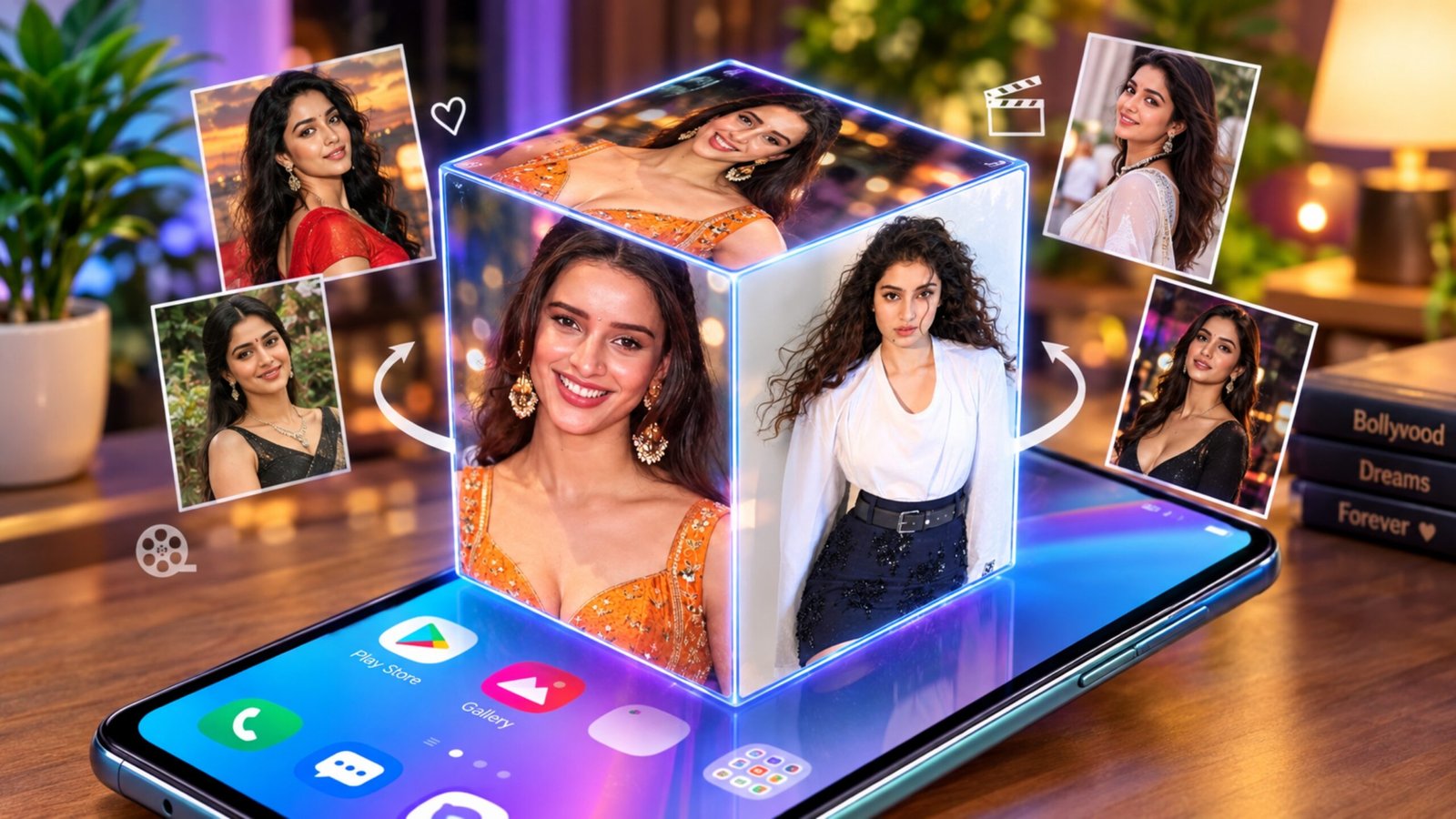
A smartphone wallpaper can change the entire appearance of your phone. While static images are still popular, live wallpapers can make the home screen feel much more dynamic. If you enjoy experimenting with different wallpaper styles, 3D Photo Live Wallpaper is an interesting option to explore.
The app lets you use pictures from your phone and display them on a rotating 3D cube. Instead of showing just one image, different photos can appear on the cube as it moves on the screen.
In this guide, we’ll look at how the app works, its main features, customization options, advantages, limitations, and who might find it useful.
Also Read: Pika Charging Animation Show: How to Add Your Photo to the Android Charging Screen
What Is 3D Photo Live Wallpaper?
3D Photo Live Wallpaper is an Android wallpaper app designed around a rotating cube effect. You can choose photos from your device and use them as the faces of a 3D cube.
Once the wallpaper is applied, the cube continuously moves on the screen, giving your home screen a more animated appearance. You can use personal photos, favorite pictures, artwork, or other suitable images depending on the options available in the app.
The main attraction is the combination of personal photos and a 3D animation effect.
Key Features to Explore
Rotating 3D Cube
The cube-style animation is the central feature of the app. Your selected pictures are placed on the visible sides of the cube, which rotates to create a three-dimensional effect.
Use Photos From Your Gallery
You don’t have to rely only on the wallpapers provided by an app. You can select images stored in your phone’s gallery and use them for the cube wallpaper.
This can be useful if you want your home screen to feature your own photographs.
Personalize the Cube
Depending on the version of the app and available settings, you may be able to adjust different parts of the wallpaper. Some options can include animation speed, background appearance, or text.
Add Text or a Name
If the app version provides a text option, you can add a name, short word, or other simple text to personalize the wallpaper further.
For creators, this can also be useful for adding a simple channel or website name.
Automatic Animation
The cube can rotate automatically after the live wallpaper is applied. This gives the home screen a moving effect instead of keeping the same image in one position.
Straightforward Setup
The basic process is relatively simple. After selecting your photos and adjusting the available settings, you can apply the finished design as your phone’s live wallpaper.
How to Create a 3D Cube Wallpaper
The exact options can vary depending on the app version and Android device, but the general process is usually similar.
1. Install the App
First, install 3D Photo Live Wallpaper from a trusted source such as the Google Play Store.
2. Launch the Application
Open the app after installation. You should find the available wallpaper and customization options on the main screen.
3. Choose Your Photos
Select pictures from your phone’s gallery. If the app allows individual images for different cube sides, choose the photos you want to display.
4. Adjust the Available Settings
Explore the customization options before applying the wallpaper. You may be able to modify things such as the cube’s movement speed, background, or text.
5. Apply the Wallpaper
Once you’re happy with the result, use the wallpaper-setting option provided by the app. Android may then ask whether you want to apply it to the home screen, lock screen, or both, depending on your device.
Why Try a 3D Photo Wallpaper?
There are several reasons you might prefer this type of wallpaper over a normal static image.
More personal: Your own photos can make the home screen feel more connected to you.
Different visual style: A rotating cube offers a more unusual appearance than a regular wallpaper.
Good for creators: Bloggers, YouTubers, and social media creators can experiment with their own images or branding.
Easy to experiment with: You can change the photos whenever you want and try different combinations.
Tips for Better Results
A few simple choices can make the cube look cleaner:
- Use clear, high-resolution photos whenever possible.
- Try using images with different subjects on each side.
- Avoid placing very small text on the images.
- Choose photos that have good brightness and contrast.
- If you are adding a name or brand, keep the design simple.
- Test the wallpaper for a while to see how smoothly it runs on your phone.
Pros and Cons
Pros
- Simple concept and easy setup
- Uses your own photos
- Attractive 3D cube animation
- Provides personalization options
- Can give the home screen a different look
Cons
- Animation performance may vary between devices
- Free versions of wallpaper apps may display advertisements
- Available customization options can depend on the app version
- Live wallpapers can use more system resources than a static wallpaper
Who Might Like This App?
3D Photo Live Wallpaper may be worth trying if you:
- Enjoy customizing your Android home screen
- Want to use personal photos as a live wallpaper
- Like animated and 3D visual effects
- Create content for social media
- Want to experiment with simple personal branding
- Prefer something different from ordinary static wallpapers
A Few Things to Keep in Mind
Live wallpapers are constantly displaying animation, so their performance can depend on your phone’s hardware, Android version, and the particular app. Battery and memory usage can also vary.
Before installing any wallpaper application, it’s a good idea to check its Google Play Store listing, recent reviews, permissions, and developer information. Also, avoid downloading APK files from unknown websites simply to get an app for free.
Official Play Store Link
Also Read: 3D Live Wallpapers – HD & 4K: Features, How to Use and Review
Final Thoughts
3D Photo Live Wallpaper can be an enjoyable way to give an Android home screen a different appearance. Its rotating cube design makes personal photos more noticeable than they would be with a standard wallpaper.
If you like experimenting with phone customization, using your own pictures, or creating a simple branded wallpaper, this type of 3D live wallpaper is worth checking out. Just keep in mind that the experience and available features may vary depending on your device and the version of the app you install.

Ankita Kumar, founder of sabhigyan.com, is passionate about technology, smartphones, apps, and digital tools. With 8+ years of experience in the digital and tech space, he focuses on creating easy-to-understand, practical, and helpful content that makes everyday technology simpler for readers.
Advertisements