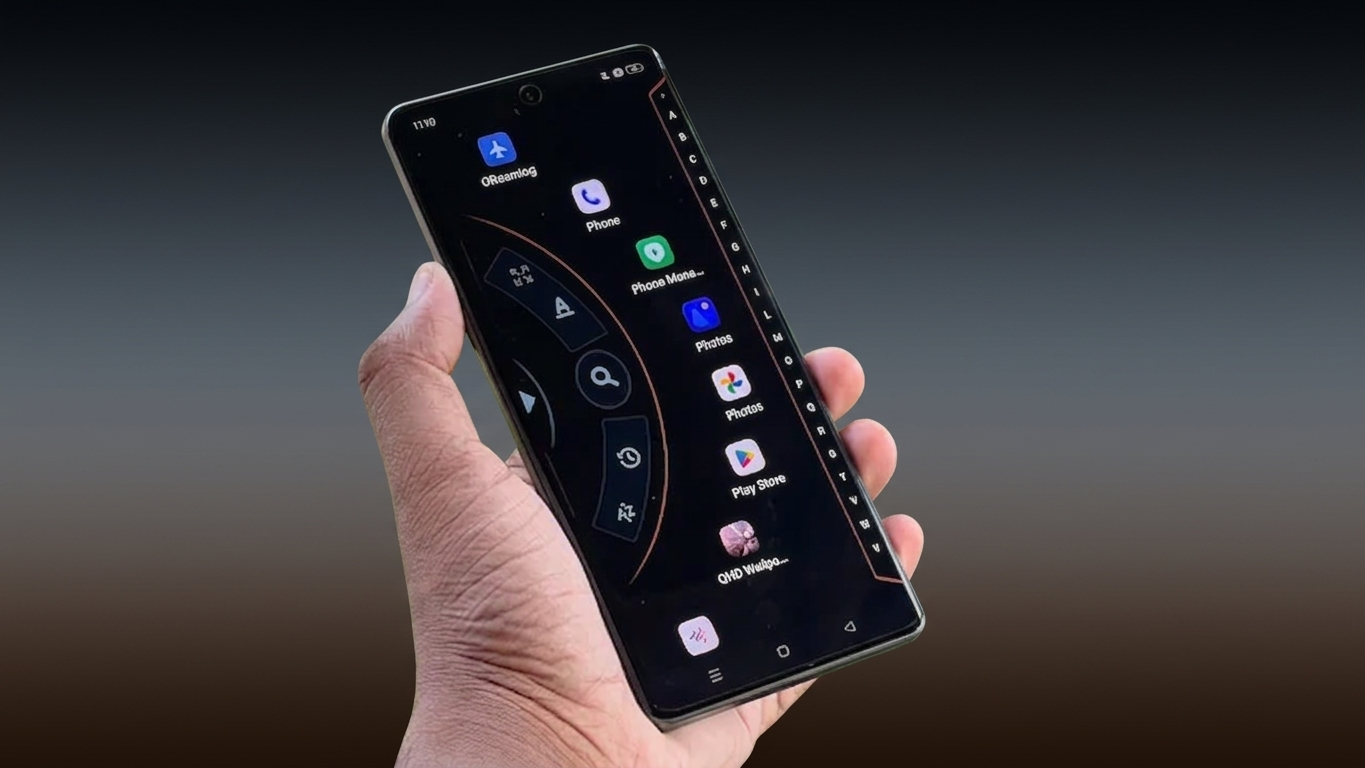
If you enjoy giving your smartphone a fresh new look, changing the launcher is one of the easiest ways to personalize your device. A good launcher can completely transform the appearance of your home screen while adding useful customization features. Alpha Hybrid Launcher 4D is one such Android launcher that focuses on stylish themes, visual effects, and flexible personalization options.
Whether you prefer a modern interface or want to experiment with animated home screen designs, this launcher offers several tools to customize your phone according to your style.
Also Read: Orbit Launcher Gives Your Android Phone a Stylish and Futuristic Home Screen
What is Alpha Hybrid Launcher 4D?
Alpha Hybrid Launcher 4D is an Android launcher app designed to replace the default home screen with a more customizable interface. It offers visually appealing themes, animated effects, icon customization, and various personalization settings that help create a unique home screen experience.
Instead of using the standard Android layout, the launcher allows users to redesign the look and feel of their device with different themes and display options.
Key Features of Alpha Hybrid Launcher 4D
Stylish 3D and 4D Visual Effects
The launcher includes a collection of modern themes with animated effects that can make the home screen look more dynamic. Depending on your device, these visual elements can provide a fresh and interactive appearance.
Extensive Customization Options
You can personalize different parts of your home screen, including:
- App icons
- Font styles
- Theme colors
- Wallpaper appearance
- Home screen layout
These options make it easier to create a setup that matches your personal preferences.
Smooth User Experience
Many users look for launchers that offer customization without making the phone feel slow. Alpha Hybrid Launcher 4D is designed to provide responsive navigation while keeping everyday tasks simple and convenient. Actual performance may vary depending on your device specifications.
Battery-Friendly Design
The launcher is built to work efficiently on compatible Android devices. Battery usage can differ based on factors such as screen brightness, active widgets, background apps, and the selected visual effects.
Double Tap to Lock
For added convenience, the launcher includes a Double Tap Lock feature. Once properly configured and the required permissions are granted, you can lock your phone by simply double-tapping an empty area on the home screen.
How to Set Up Alpha Hybrid Launcher 4D
Getting started is straightforward:
- Download and install Alpha Hybrid Launcher 4D from the Google Play Store.
- Open the app after installation.
- Complete the initial setup by granting the requested permissions.
- Choose your preferred launcher settings.
- Customize themes, icons, wallpapers, and other visual elements to create your desired home screen.
After setup, you can revisit the settings anytime to make additional changes.
Things to Keep in Mind
Before installing the launcher, consider the following points:
- Some advanced features may only be available through optional in-app purchases.
- Certain animations or visual effects may perform differently on older or lower-powered Android devices.
- The overall experience depends on your phone’s hardware, Android version, and available system resources.

Also Read: Niagara Launcher Brings a Cleaner and Faster Home Screen Experience to Android
Final Thoughts
If you’re looking for a simple way to refresh your Android phone’s appearance, Alpha Hybrid Launcher 4D is worth exploring. It offers a variety of customization tools, modern themes, and useful personalization features that can help make your device feel more unique. While the exact experience may vary across different smartphones, it provides enough flexibility for users who enjoy customizing their home screens.

Ankita Kumar, founder of sabhigyan.com, is passionate about technology, smartphones, apps, and digital tools. With 8+ years of experience in the digital and tech space, he focuses on creating easy-to-understand, practical, and helpful content that makes everyday technology simpler for readers.
Advertisements