Typing has become one of the most common activities on smartphones. Whether you’re chatting with friends, replying to emails, browsing the internet, or posting on social media, a comfortable and feature-rich keyboard can make everyday tasks much easier. While the default keyboard works well for many users, some people prefer a keyboard that also adds a unique visual style to their device.
Also Read: Broken Screen Prank App: Create a Fake Cracked Screen for Fun
LED Keyboard – Colorful RGB Lighting Keyboard is an Android keyboard app that combines colorful RGB-inspired lighting effects with useful typing features. It allows users to personalize the look of their keyboard while enjoying a smooth and convenient typing experience.
What is LED Keyboard – Colorful RGB Lighting Keyboard?
LED Keyboard is a customizable Android keyboard designed for users who want more than a standard typing interface. It offers colorful themes, animated lighting effects, customizable backgrounds, and practical typing tools that can improve both the appearance and functionality of the keyboard.
Instead of using a plain keyboard layout, users can choose from various styles to create a typing experience that better matches their personality.
Stylish RGB Lighting Effects
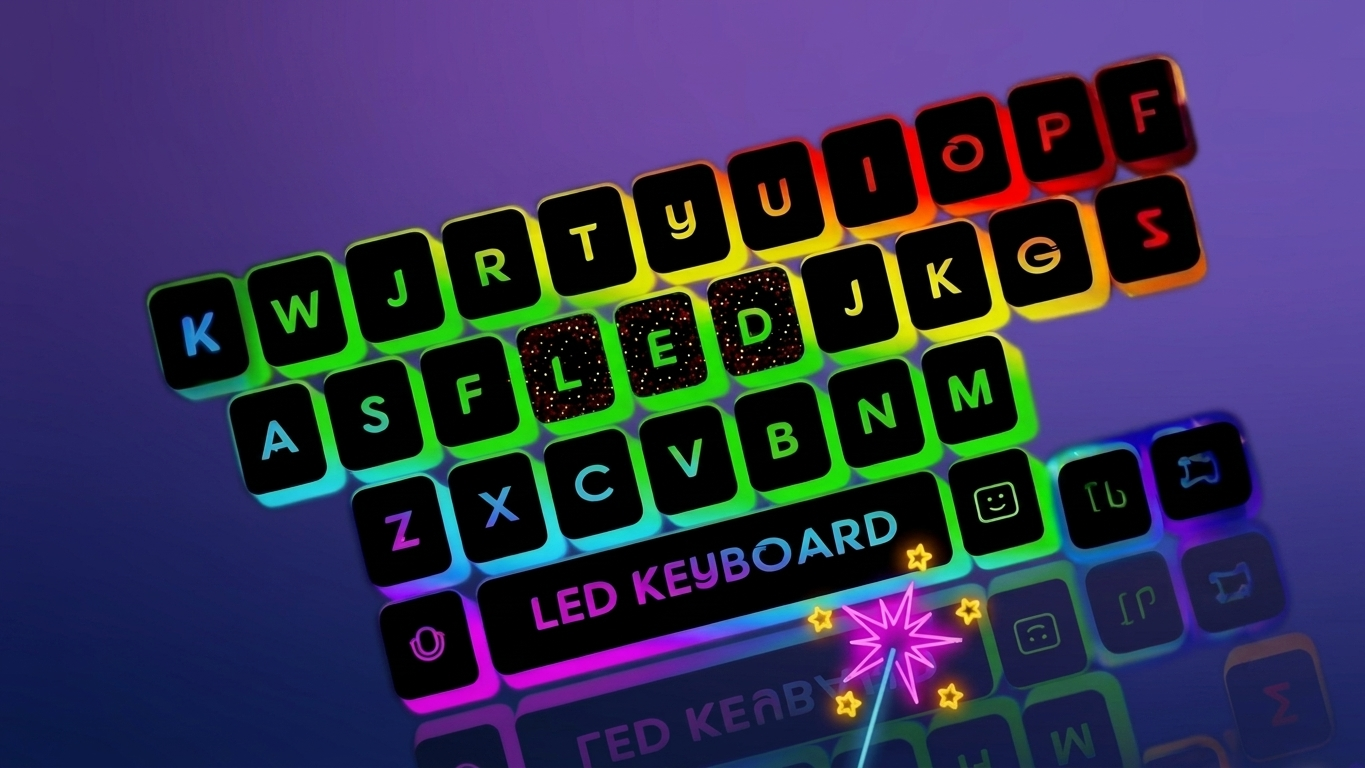
One of the biggest attractions of this keyboard is its RGB-style lighting design. The colorful lighting around the keyboard gives it a modern and eye-catching appearance, making typing more enjoyable.
Depending on the app version, users may have the option to customize lighting colors, brightness, and animation effects to create a setup that suits their preferences.
Large Collection of Themes
Personalization is one of the strongest features of LED Keyboard. The app includes a wide variety of keyboard themes ranging from simple and elegant designs to vibrant neon and gradient styles.
Users may also find themes inspired by gaming, nature, dark mode, and colorful artwork. Some versions even allow custom background images, letting users use their favorite photos as keyboard wallpapers.
Smooth and Comfortable Typing
A visually attractive keyboard should also perform well. LED Keyboard is designed to provide responsive key presses and smooth typing for everyday use.
Whether you’re writing messages, taking notes, searching online, or updating social media, the keyboard aims to deliver a comfortable typing experience with minimal delays.
Smart Typing Features
Along with customization, the app includes several typing tools that can help improve speed and accuracy.
Some commonly available features include:
- Auto-correction for common spelling mistakes
- Word suggestions while typing
- Predictive text support
- Quick text input for daily conversations
- Easy access to numbers and symbols
These features can help users type faster while reducing typing errors.
Supports Multiple Languages
Many smartphone users communicate in more than one language. LED Keyboard supports multiple language options, allowing users to switch between supported languages whenever needed.
This feature is useful for students, professionals, multilingual users, and content creators who regularly communicate in different languages.
Emojis, GIFs, and Stickers
Modern conversations are often more expressive than plain text. LED Keyboard offers access to emojis, GIFs, and stickers that help users share emotions, reactions, and ideas more effectively.
These features can be used in many popular messaging and social networking apps, making conversations more engaging and fun.
Extensive Customization Options
LED Keyboard provides several customization settings that allow users to personalize nearly every part of the keyboard.
Users can customize:
- Keyboard themes
- Background images
- RGB lighting effects
- Color combinations
- Font styles (if supported)
- Key appearance
- Overall keyboard layout
These options make it easy to create a keyboard that reflects your own style.
Performance and Battery Efficiency
Animated lighting effects may use additional system resources, especially on older devices. However, many modern keyboard apps are optimized to balance visual effects with performance.
Users who prefer better battery efficiency can often reduce animations or disable lighting effects through the settings. Battery usage may vary depending on the smartphone model, display settings, and individual usage habits.
Privacy and Security
Since keyboard apps process typed text, privacy should always be considered before installation.
Users should review the app’s privacy policy, understand the permissions it requests, and install the app only from trusted app stores. Taking these simple precautions helps ensure a safer typing experience.
Who Can Benefit from LED Keyboard?
This keyboard may be a good choice for:
- Users who enjoy RGB lighting effects
- People who like customizing their Android devices
- Social media users
- Mobile gamers
- Students and professionals
- Anyone looking for an attractive alternative to the default keyboard
Why Choose LED Keyboard?
LED Keyboard offers a combination of visual customization and practical typing tools. Instead of using a basic keyboard, users can enjoy colorful designs while still benefiting from useful features like predictive text, auto-correction, multilingual support, and emoji integration.
For users who enjoy personalizing their smartphones, it provides a simple way to make typing feel more enjoyable without changing the overall functionality of the device.
Disclaimer
The availability of features may vary depending on the app version, Android device, and software updates. Always download keyboard applications from trusted sources, review the requested permissions, and check the privacy policy before using any third-party keyboard app.

Also Read: GO Launcher S: An Easy Way to Personalize Your Android Home Screen
Final Thoughts
LED Keyboard – Colorful RGB Lighting Keyboard is a great option for Android users who want to make their typing experience more colorful and personalized. With its RGB lighting effects, stylish themes, customizable backgrounds, emoji support, multilingual typing, and helpful typing tools, the app offers a nice balance between visual appeal and everyday functionality.
Whether you enjoy customizing your smartphone or simply want a fresh alternative to the default keyboard, this app provides plenty of options to match your personal style. Before installing any keyboard application, it’s always recommended to review its permissions and privacy policy, and download it only from trusted sources. By choosing the right settings, you can enjoy a keyboard that looks attractive while delivering a smooth and comfortable typing experience.

Ankita Kumar, founder of sabhigyan.com, is passionate about technology, smartphones, apps, and digital tools. With 8+ years of experience in the digital and tech space, he focuses on creating easy-to-understand, practical, and helpful content that makes everyday technology simpler for readers.
Advertisements