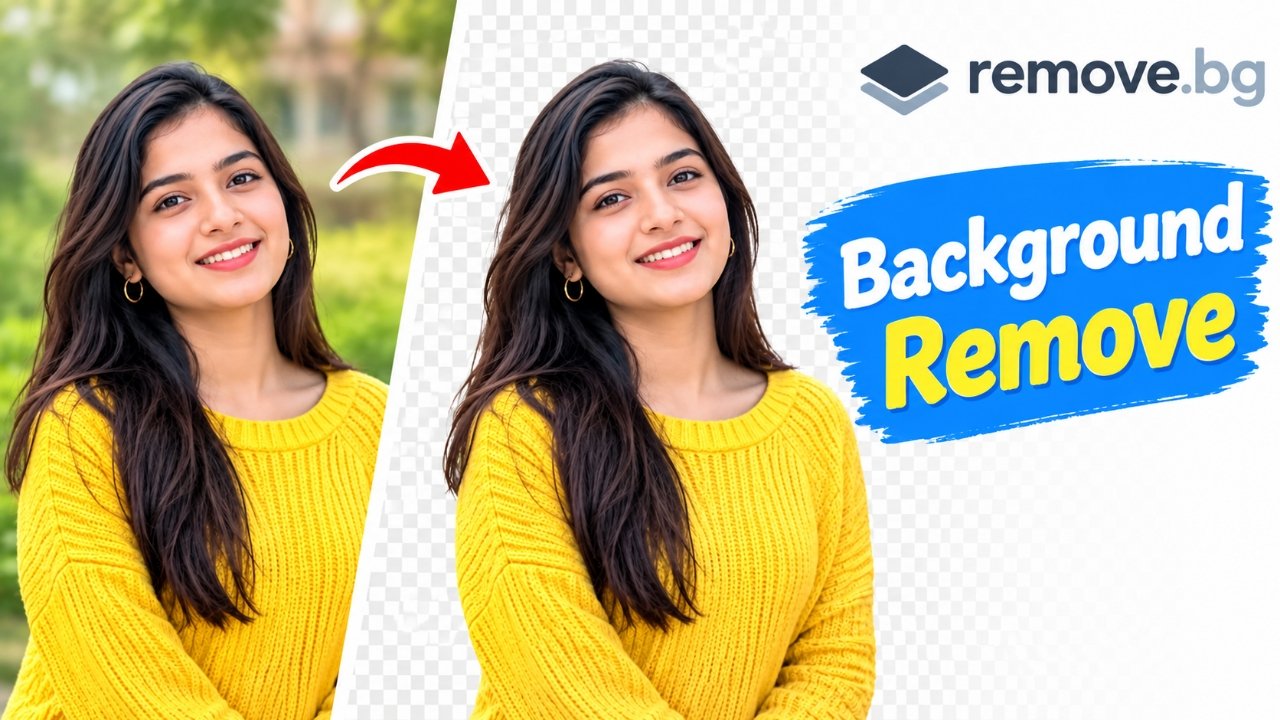
In today’s digital world, photos are used almost everywhere. Whether you want to upload a profile picture on social media, create a YouTube thumbnail, prepare product images for an online business, or give your pictures a professional look, having a clean and attractive photo is important. However, sometimes the background of a photo does not look suitable for our needs. In such situations, removing the background is a great option.
Earlier, removing a photo background required software like Photoshop, which could be difficult for beginners to use. But now, several online tools allow you to remove backgrounds within seconds. One of the most popular tools is Remove.bg, an AI-powered website that automatically removes the background from your photos.
In this article, we will explain what Remove.bg is, how to use it, its benefits, and some important things to keep in mind while removing a photo background.
Also Read: Notification Bar Customization: How to Personalize Your Android Status Bar and Notifications
What Is Remove.bg?
Remove.bg is an online, AI-powered background removal tool. It allows you to remove the background from photos of people, animals, products, and other subjects without installing any software on your mobile phone or computer.
The best thing about this website is that it automatically identifies the main subject in a photo and removes the surrounding background. For example, if your photo has a house, trees, a wall, or other objects in the background, Remove.bg can remove them and make the background transparent.
After removing the background, you can also add a different color or another image in its place, depending on the editing options available.
To visit the website, click the link below.
How to Remove a Photo Background Using Remove.bg?
Removing a photo background with Remove.bg is very easy. If you are using this website for the first time, follow the steps below to remove your photo background quickly.
Step 1: Open the Remove.bg Website
First, open any web browser on your mobile phone or computer. Visit the Remove.bg website. Once the website opens, you will see an option to upload an image.
Step 2: Upload Your Photo
Click the Upload Image button on the website. Select the photo from your mobile gallery or computer folder whose background you want to remove. Wait for the image to upload successfully.
Step 3: Let the AI Remove the Background
Once your photo is uploaded, Remove.bg will start processing it automatically. Within a few seconds, the background will be removed, and you will see the result on your screen. In most cases, you do not need to select or erase the background manually.
Step 4: Check the Result
After the background is removed, carefully examine the photo. Check whether any important parts of the hair, face, clothes, or body have been accidentally cut off. If the result looks good, proceed to the next step.
Step 5: Download Your Photo
Click the Download button to save your edited photo. Images with transparent backgrounds are generally available in PNG format, which preserves transparency. Before downloading, check the available download options and image quality.
That’s it! By following these simple steps, you can remove a photo background within seconds without needing advanced photo editing skills.
How to Add a New Background After Removing the Original One
Sometimes, we do not just want to remove a background; we also want to replace it with something else. For example, you may need a white background for a passport-style photo, a colorful background for a social media post, or a clean background for a product image.
You can follow these steps:
- Upload your photo to the Remove.bg website.
- Wait for the background to be removed.
- Look for the available Background or Edit option.
- Choose a new color or background image according to your needs.
- Check the final result and download the edited photo.
Please note that the available editing features may change over time. If you cannot find the background replacement option you need, you can download the transparent PNG image and edit it using another photo editing tool.
Benefits of Using the Remove.bg Website
Remove.bg is more than just a background removal tool. It is also useful for people who want to edit photos quickly and easily.
1. Easy to Use: The website has a simple interface. Once you upload a photo, most of the work is done automatically.
2. No Software Installation Required: You can use Remove.bg directly through your web browser without installing additional software on your device.
3. Saves Time: Manually removing a background can take a lot of time, whereas an AI-powered tool can often complete the task within seconds.
4. Useful for Different Types of Photos: You can use it for portraits, product images, pet photos, and many other types of pictures.
5. Helpful for Personal and Professional Work: Transparent images are useful for online stores, social media posts, presentations, graphic design, and other creative projects.
Important Things to Remember While Using Remove.bg
Although Remove.bg is easy to use, there are a few things you should keep in mind to get better results.
- Use a high-quality photo: Clear images with good lighting generally produce better results.
- Choose a photo with a distinct subject: If the subject and background have similar colors, the AI may struggle to identify the edges correctly.
- Check the download quality: Free downloads may have resolution limitations. Check the website’s current options if you need a high-resolution image.
- A stable internet connection is required: Since Remove.bg is an online tool, you need an internet connection to upload and process your photos.
- Pay attention to privacy: Before uploading a photo, review the website’s privacy policy and image-handling terms. Avoid uploading sensitive or confidential pictures.
Who Can Benefit from Remove.bg?
Remove.bg can be useful for many different people.
Content creators can use it to prepare YouTube thumbnails and social media posts. Online sellers can remove distracting backgrounds from product images to make their products look cleaner and more attractive.
Students can use it for school projects and presentations, while designers can use transparent images in their creative work. Even ordinary users can use this tool to improve their personal photos.
However, if you need a photo for a passport, visa, or other official document, make sure you follow the specific institution’s requirements for the background color, image dimensions, and photo format.
Also Read: WhatsApp Introduces 2x Video Playback Speed for Status Updates on Android
Frequently Asked Questions (FAQs)
Q1. Can I remove a photo background for free using Remove.bg?
Yes, Remove.bg generally offers free background removal. However, there may be limitations on download resolution, image quality, and certain additional features.
Q2. Does Remove.bg work on mobile phones?
Yes, you can open the Remove.bg website in your mobile browser, upload a photo, remove its background, and download the result.
Q3. Is it necessary to create an account to use Remove.bg?
An account is not necessarily required for basic background removal in every situation. However, some additional features or download options may require an account.
Q4. In which format can I download photos from Remove.bg?
Photos with transparent backgrounds are generally available in PNG format. The available formats and resolutions depend on the website’s current download options.
Q5. Does Remove.bg remove the background completely?
Remove.bg can produce excellent results for many ordinary photos. However, images with complex backgrounds, fine hair, transparent objects, or blurred edges may require some manual adjustments.
Remove Background
Final Thoughts
If you want to remove a photo background without using complicated photo editing software, Remove.bg can be an excellent option. It allows you to remove backgrounds from photos using just a few simple steps on your mobile phone or computer.
The best thing about this website is that you do not need advanced photo editing knowledge to use it. Simply upload your photo, let the AI remove the background, and download the result once you are satisfied with the outcome.
However, for the best results, always use a clear image and carefully check the edges of your photo before downloading it. If you need a high-quality image for professional purposes, make sure to review the available download options as well.
Overall, Remove.bg is a useful online tool for anyone who wants to remove photo backgrounds quickly and easily. Whether you are a student, content creator, online seller, designer, or casual user, this website can help you save time and simplify your photo editing work.
If you have never used this website before, visit Remove.bg and give it a try.
I hope this article has helped you understand how to remove a photo background using the Remove.bg website.

Sourav Gorai, founder of sabhigyan.com, is passionate about technology, smartphones, apps, and digital tools. With 8+ years of experience in the digital and tech space, he focuses on creating easy-to-understand, practical, and helpful content that makes everyday technology simpler for readers.
Advertisements