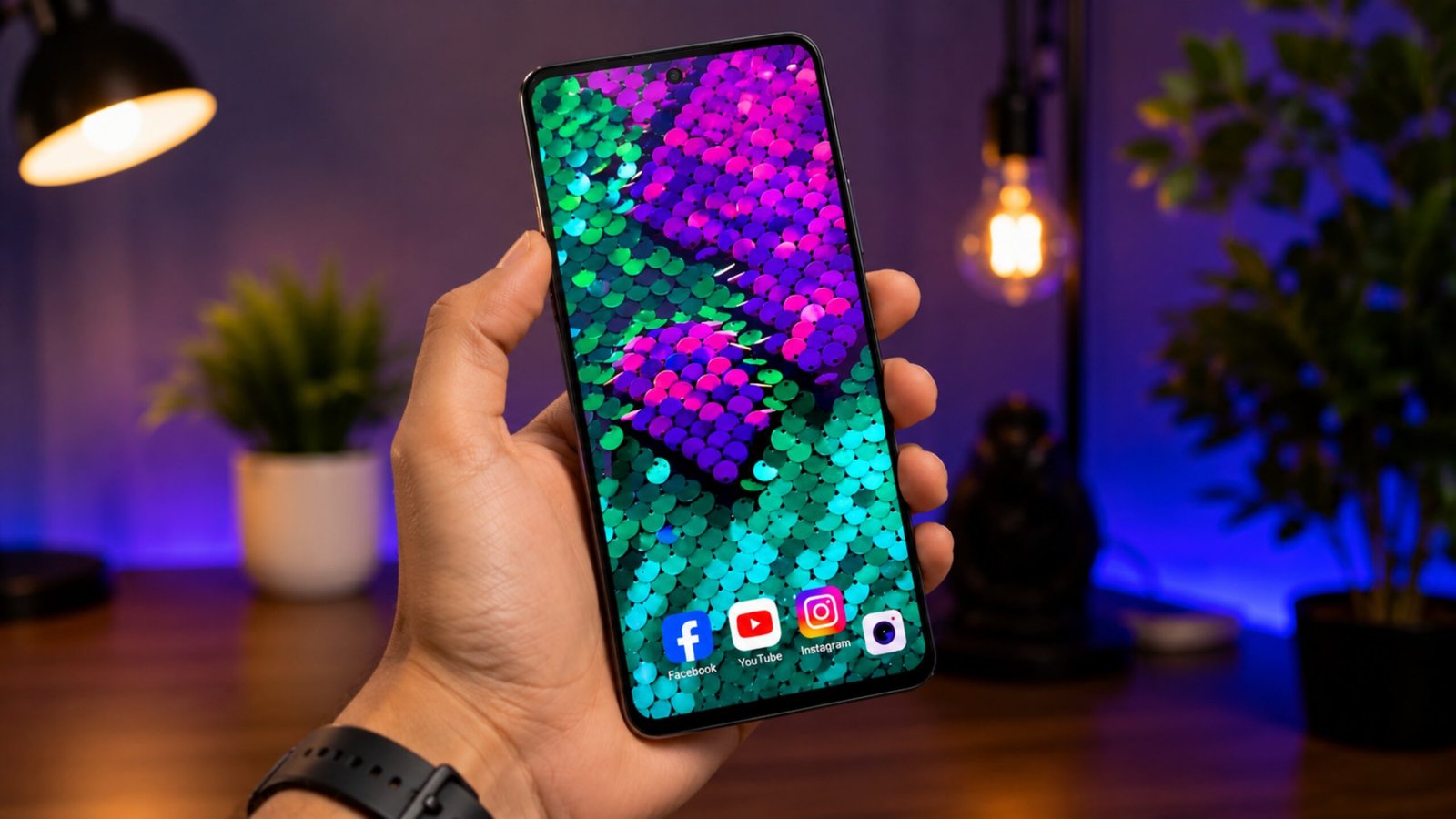
Your smartphone is not just a device for calls, messages, and apps. For many Android users, the home screen is also a way to express their personal style. Wallpapers, icons, widgets, and themes can completely change how a phone looks and feels.
If static backgrounds seem a little boring, Sequin Flip Live Wallpaper offers a more interactive alternative. Instead of displaying a fixed image, it creates a sequin-inspired visual effect that responds to your touch, producing colorful patterns directly on the screen.
Also Read: Voice Screen Lock – Voice Lock App: Unlock Your Android Phone with Your Voice
What Is Sequin Flip Live Wallpaper?
Sequin Flip Live Wallpaper is designed to turn an Android display into an interactive background featuring digital sequins. As you touch or swipe across the screen, the virtual sequins can move or flip to reveal different colors.
The concept is similar to physical reversible sequin surfaces, where changing the direction of the sequins creates a different appearance. The digital version brings that idea to your smartphone and combines it with animated effects.
The exact features and customization options may vary depending on the version of the app and the Android device being used.
What Makes This Live Wallpaper Interesting?
The main attraction is the combination of wallpaper customization and touch interaction. Rather than simply looking at a background, you can interact with parts of it while using your phone.
Here are some features that can make this type of wallpaper appealing:
Touch-Responsive Visuals
The wallpaper reacts when you interact with the display. Swiping your finger across different areas can create changing patterns and colors, making the background feel more dynamic than a standard image.
Animated Effects
Live wallpapers use movement to create a more engaging appearance. In this case, the flipping sequin-style animation adds motion without requiring the user to open a separate app.
Color Customization
Depending on the available settings, users may be able to select different color combinations or themes. This can help you create an appearance that better matches your preferences.
Adjustable Appearance
Some versions may provide controls for elements such as sequin size, animation speed, background appearance, or other visual effects. Available settings can differ between app versions.
Why Try an Interactive Wallpaper?
A static wallpaper stays the same until you replace it. An interactive wallpaper can change as you use your phone, giving the home screen a more playful appearance.
Sequin Flip Live Wallpaper may appeal to people who:
- Enjoy customizing Android smartphones
- Prefer animated backgrounds over static images
- Like colorful and responsive visual effects
- Want something different from conventional wallpapers
- Enjoy experimenting with home-screen designs
It can also be an interesting choice for users who simply enjoy small interactive visual effects while navigating their phones.
Customization Features to Look For
One of the advantages of live wallpaper apps is the ability to adjust the visual experience. Depending on the version you install, settings may include options such as:
- Sequin size: Change how large or small the individual elements appear.
- Color themes: Experiment with different color combinations.
- Animation speed: Adjust how quickly the visual effects move.
- Background settings: Change the overall appearance behind the sequins.
- Visual effects: Modify available effects to achieve a preferred look.
Not every version will necessarily include all of these controls, so check the app’s current description and settings before installing it.
Does It Affect Battery Life?
Battery consumption is something worth considering with any animated wallpaper.
Because a live wallpaper can use system resources to display animations and respond to touch, it may consume more power than a completely static background. The difference can depend on factors such as your smartphone’s hardware, display, Android version, animation settings, and how frequently the wallpaper is active.
If battery life is important to you, try using lower animation settings when available and monitor your device’s battery usage after applying the wallpaper.
Performance on Different Android Phones
The experience may not be identical on every smartphone. Newer devices generally have more capable hardware, while older or entry-level phones may handle animated wallpapers differently.
If you notice lag, excessive battery consumption, or other performance issues, consider reducing animation intensity or switching back to a static wallpaper.
How to Set Up the Wallpaper on Android
If the application is currently available for your Android device, the installation process is generally straightforward:
- Open the Google Play Store.
- Search for Sequin Flip Live Wallpaper.
- Check the app name, developer information, ratings, and available details carefully.
- Tap Install if you decide to use it.
- Open the application after installation.
- Explore the available customization settings.
- Select the option to apply it as your live wallpaper.
- Choose whether you want it on the home screen, lock screen, or both, if your device provides those options.
The exact menu names can vary between Android versions and smartphone manufacturers.
Things to Check Before Installing
Before downloading any wallpaper application, it is a good idea to review its current Play Store listing. Pay attention to:
- The app’s developer
- Recent reviews and ratings
- Last update information
- Required permissions
- Compatibility with your Android version
- Available customization features
Only install applications from sources you trust, and avoid downloading modified or unofficial APK files from unknown websites.
Advantages and Limitations
Potential Advantages
- Eye-catching interactive design
- Touch-responsive effects
- Colorful appearance
- Customization options
- More dynamic than a static wallpaper
- Simple way to change the look of an Android home screen
Possible Limitations
- May use more battery than a static wallpaper
- Performance can vary between smartphones
- Older devices may not provide the same smooth experience
- Features can change between app versions
- Some customization options may not be available on every device
Why Interactive Wallpapers Are Still Popular
Smartphone personalization has become a major part of the Android experience. Users can customize everything from wallpapers and widgets to icon packs and themes.
Interactive wallpapers take that customization one step further by allowing the background itself to respond to what happens on the screen. This can make an otherwise ordinary home screen feel more personal without changing the phone’s core functionality.
Is Sequin Flip Live Wallpaper Worth Trying?
If you prefer colorful designs and enjoy experimenting with Android customization, a sequin-style live wallpaper can be a fun option. Its main appeal comes from the combination of animated visuals, touch interaction, and personalization.
However, it is worth remembering that live wallpapers are primarily a visual customization feature. They do not provide a major functional improvement to your smartphone, and the experience may differ depending on your device.

Also Read: Fluid Simulation App: A Simple Way to Enjoy Calming Visuals on Android
Final Thoughts
Sequin Flip Live Wallpaper provides a creative way to give an Android home screen a more interactive appearance. The sequin-inspired animations and touch-responsive effects can make the display more visually interesting than a traditional static background.
If you enjoy changing the look of your smartphone and want a wallpaper that does more than simply sit in the background, it is an option worth exploring—provided it is compatible with your device and available through a trusted source.

Ankita Kumar, founder of sabhigyan.com, is passionate about technology, smartphones, apps, and digital tools. With 8+ years of experience in the digital and tech space, he focuses on creating easy-to-understand, practical, and helpful content that makes everyday technology simpler for readers.
Advertisements