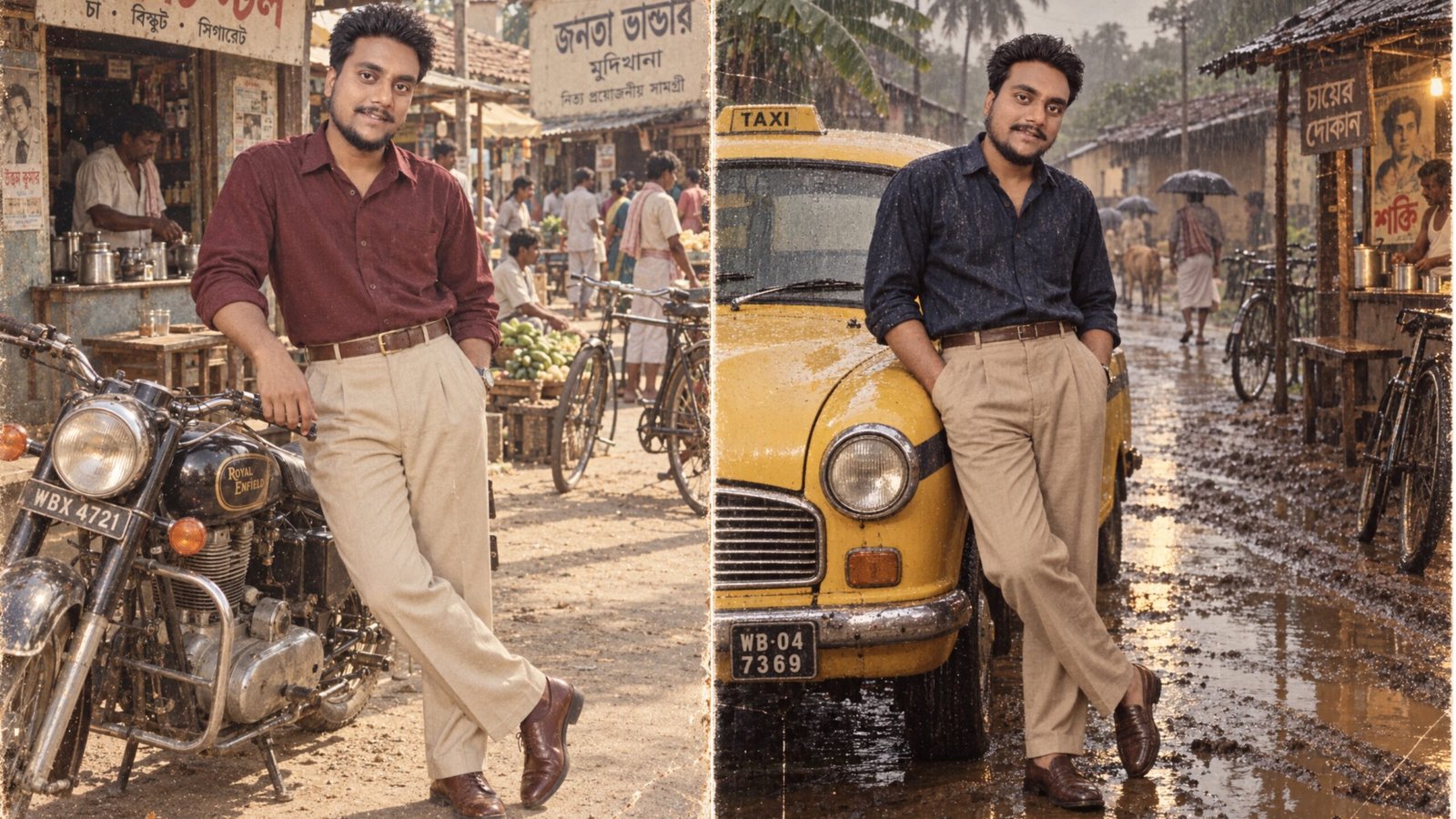
Have you ever wondered what your modern photo would look like if it had been taken in the 1980s? With AI image editing, you can now turn an ordinary smartphone picture into a vintage-style scene without manually editing every part of the image.
Gemini AI can be used to experiment with this kind of transformation. You can keep the main person recognizable while changing the outfit, surroundings, vehicles, architecture, lighting, and overall photographic style to create the feel of an older photograph.
For example, a recent portrait can be transformed into an old Kolkata street scene, a rural Bengal village, a railway station, or a traditional market. The right prompt can also help match the person’s clothing to the selected period.
Also Read: How to Get Gemini Advanced: Complete Subscription Guide (2026)
What Makes a Photo Look Like It Was Taken in the 1980s?
A vintage photograph is about more than simply adding a faded filter.
Photographs from the 1980s often have a different visual character because many were captured on film rather than modern digital cameras. Depending on the film and camera, images could have visible grain, softer details, slightly muted colors and a different contrast compared with today’s smartphone photos.
The surroundings are equally important. Modern buildings, vehicles, clothing and electronic devices can make an image immediately feel contemporary.
That’s why a convincing AI-generated vintage scene should consider several elements together:
- Clothing and accessories
- Cars, buses or bicycles
- Buildings and streets
- Lighting conditions
- Background objects
- Color and contrast
- Film grain and photographic softness
When these details work together, the result can feel much more coherent.
Why Gemini AI Can Be Useful for This
One useful part of AI image editing is that you can describe the changes you want instead of manually recreating an entire scene.
For instance, you could take one portrait and experiment with several concepts:
- An old Kolkata street
- A Bengali village road
- A traditional market
- A vintage railway station
- A countryside setting
- An old bus stand
- A roadside tea stall
You can also change the clothing for each version. This makes it possible to create several different concepts from the same source photograph.
Keep in mind that Gemini’s image-editing features and availability can change over time, so the exact options you see may depend on the current service and your account.
Step-by-Step: Create a 1980s Vintage Photo in Gemini
1. Start With a Clear Photo
Choose a reasonably sharp photograph where the person’s face is clearly visible.
A portrait can work well if you want to create a close-up or waist-up vintage picture. A full-body photograph may be more suitable when you want the AI to change the complete outfit and place the person into a wider environment.
Avoid using an extremely blurry, dark or heavily compressed image because the AI may have difficulty maintaining important details.
2. Upload the Image to Gemini
Open Gemini and provide the photograph you want to edit.
Your instructions should clearly explain what needs to change and what should remain consistent.
For example, if you want to preserve the person’s appearance while changing the clothing and environment, say that directly in your prompt.
Being specific is generally more useful than simply writing something like “make this photo vintage.”
3. Choose a Suitable 1980s Outfit
Clothing plays a major role in establishing the period.
Instead of modern sneakers, contemporary T-shirts or current fashion, describe clothing that fits the scene you are trying to create.
Depending on the concept, you might use:
- High-waisted trousers
- Simple vintage shirts
- Leather shoes
- Traditional Bengali clothing
- Classic accessories
- Period-appropriate jackets
- Simple sandals
You can create a different outfit for each image while keeping the overall person and concept consistent.
4. Replace the Modern Background
The background can make a huge difference.
Ask Gemini to place the person in an environment that matches the 1980s setting. For a Bengal-inspired concept, you could describe an old Kolkata road, a rural village, a traditional market, a railway platform or a roadside tea stall.
Small environmental details can also help establish the setting. Depending on the scene, these might include older bicycles, period-style vehicles, traditional houses, wooden shops and older signboards.
The key is consistency. A vintage outfit surrounded by clearly modern objects may make the final image look less convincing.
5. Add a Subtle Film Photography Feel
After establishing the scene, describe the photographic characteristics you want.
A suitable prompt might request:
- Subtle natural film grain
- Slightly soft details
- Muted or gently faded colors
- Warm tones
- Soft contrast
- Natural exposure
- Authentic-looking film photography
Don’t overdo these effects. Excessive grain, extreme fading or strong color filters can make the image look like a digital effect rather than an old photograph.
Tips for Getting a More Natural Result
A few details can make a noticeable difference in the final image.
Keep the Person Consistent
If the goal is to edit your own photograph, ask the AI to preserve the person’s recognizable facial characteristics and overall identity while making the requested changes.
However, AI image editing is not always perfectly consistent. You may need to regenerate the image or adjust the prompt if facial details change unexpectedly.
Match the Outfit With the Location
The clothing should make sense for the environment.
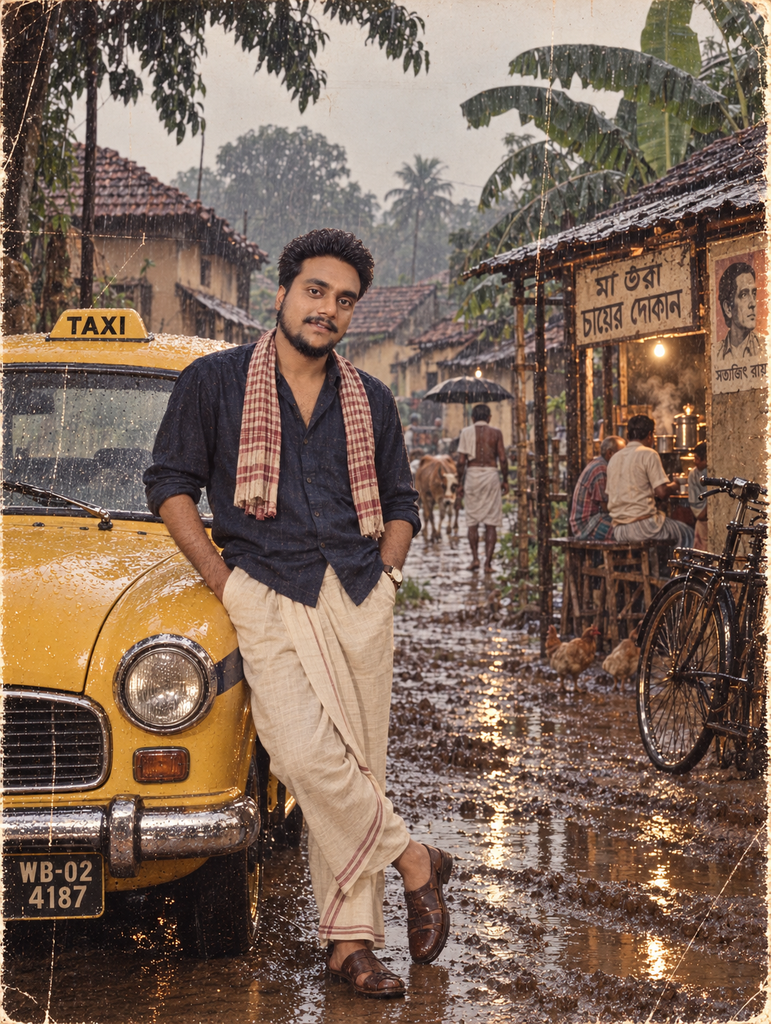
For example, traditional clothing may fit a Bengali village scene, while a classic shirt and trousers may work better for an old city-street portrait.
Pay Attention to Lighting
Lighting is another important detail.
If the person appears to be lit from one direction while the background suggests completely different lighting, the image can look composited.
You can describe the same general lighting for both the subject and surroundings, such as warm afternoon sunlight, soft evening light or overcast daylight.
Don’t Make the Vintage Effect Too Strong
An authentic-looking old photograph doesn’t necessarily need heavy scratches, extreme blur or dramatic fading.
A subtle combination of film grain, softer contrast and slightly aged colors can often produce a more natural result.
Try Different 1980s-Inspired Photo Concepts
You don’t have to create the same type of image every time.
After generating one version, try another setting while changing the clothing and composition.
For example:
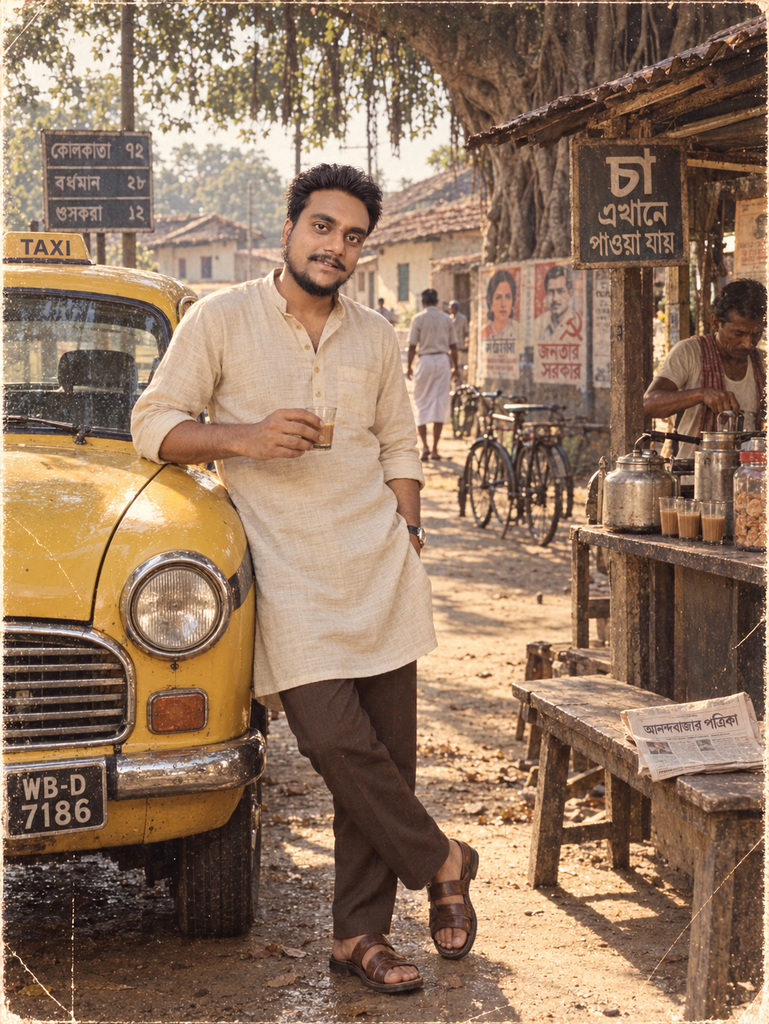
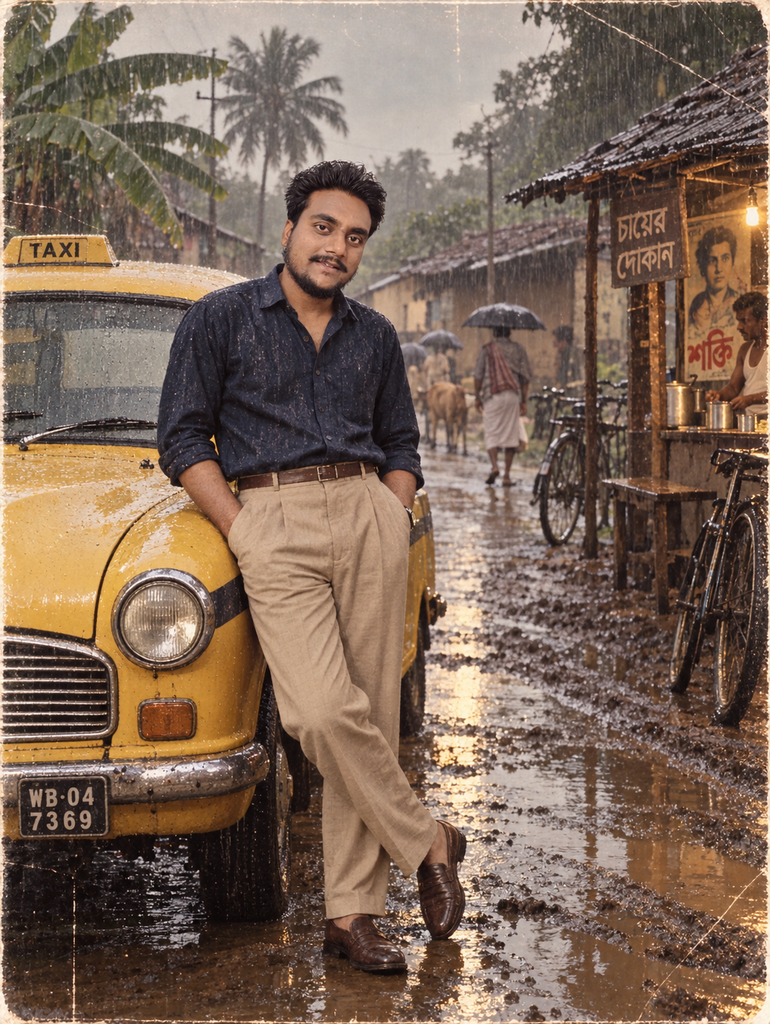
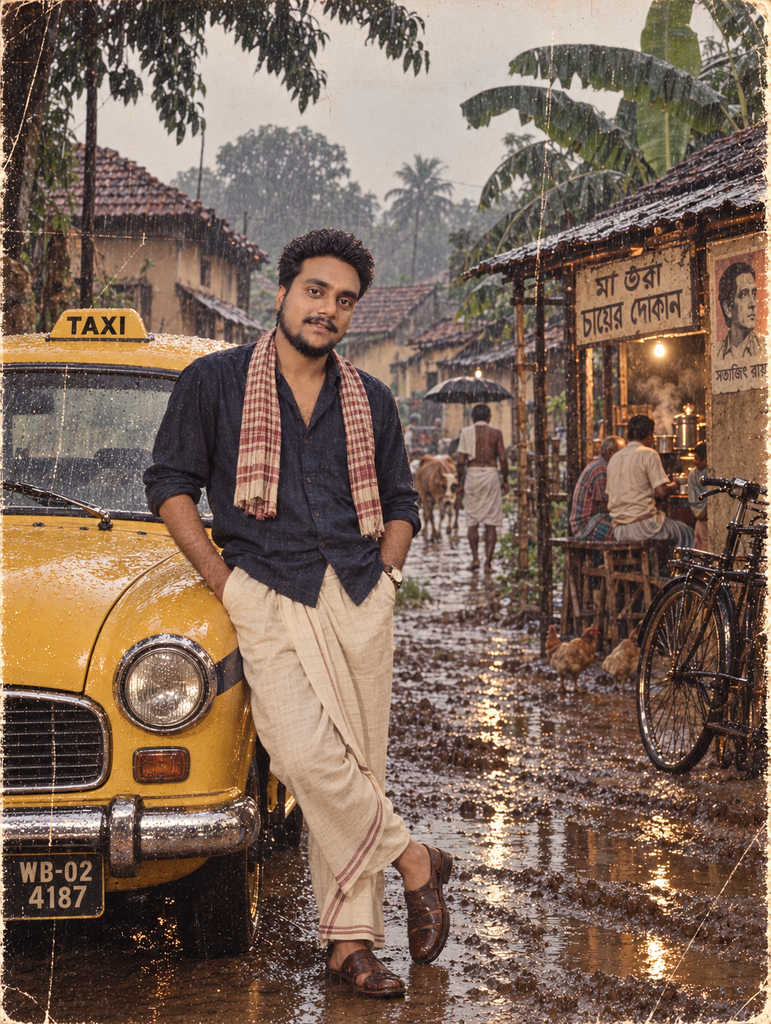
Concept 1: A portrait on an old Kolkata street with a classic Ambassador taxi nearby.
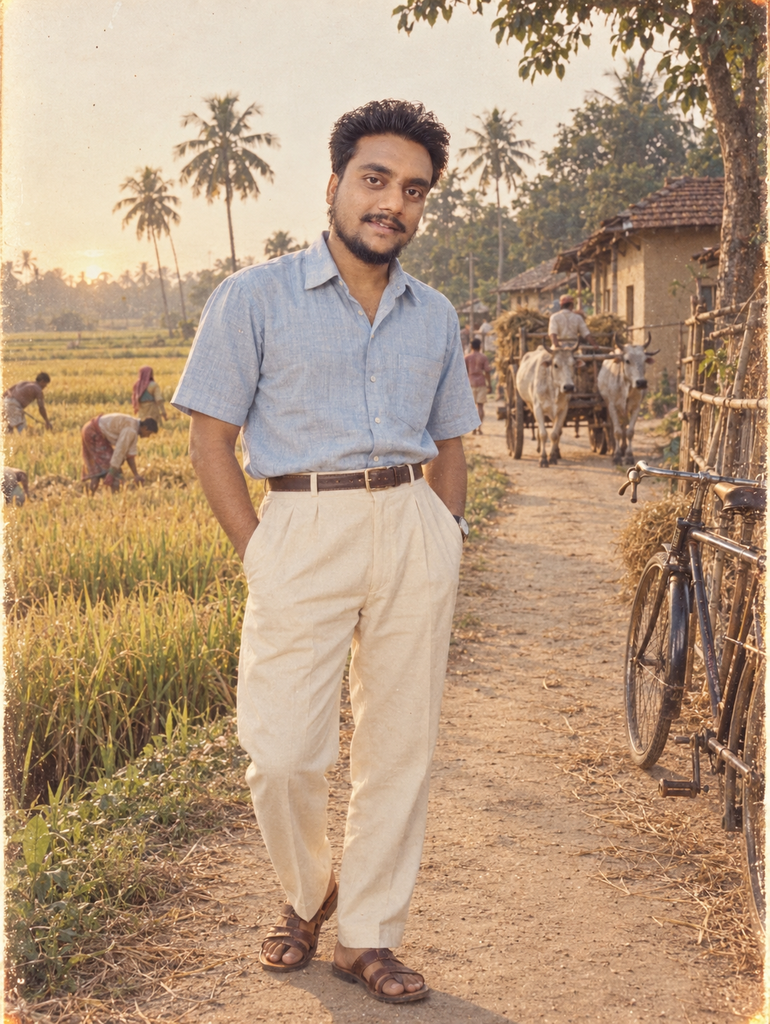
Concept 2: A rural Bengal scene with an unpaved road, traditional houses and fields in the background.
Concept 3: A vintage railway-station portrait with period-style surroundings.
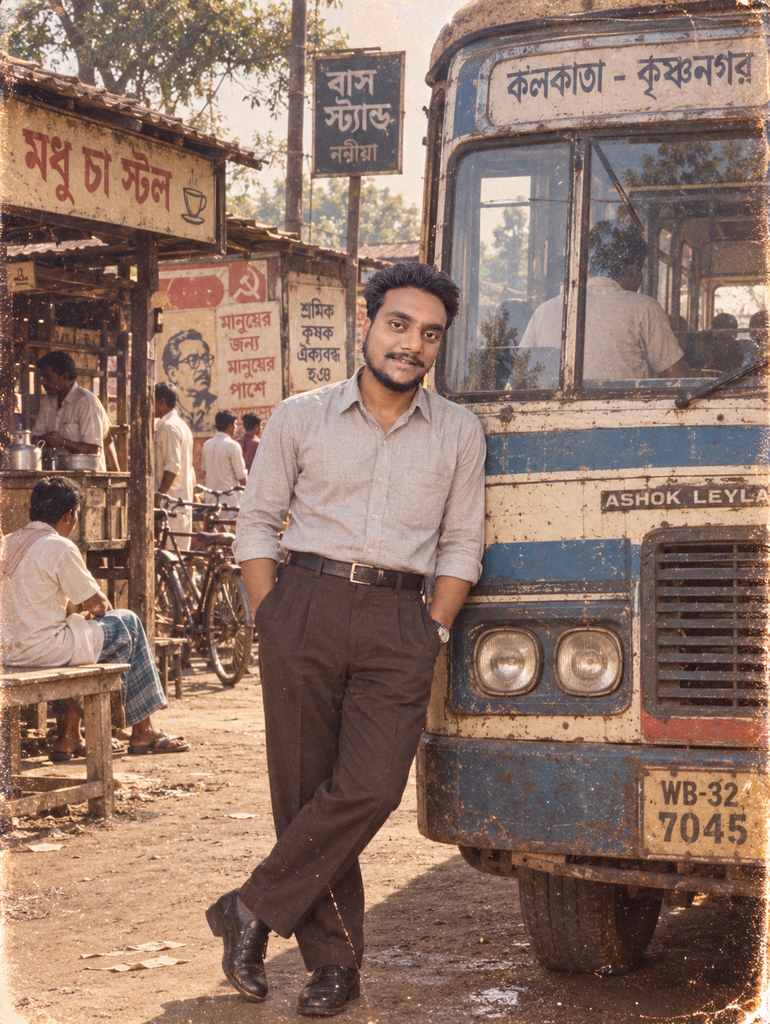
Concept 4: A traditional market scene with old shops, bicycles and classic clothing.
Concept 5: A countryside portrait near a paddy field during the late afternoon.
This approach can turn one modern photograph into several different vintage-style concepts.
1980s Bengal Photo Ideas to Try
If you want a Bengali retro atmosphere, these ideas can be useful:
- Old Kolkata street portrait
- Portrait beside a yellow Ambassador taxi
- Village road with traditional houses
- Bengali countryside with paddy fields
- Old local market
- Roadside tea stall
- Vintage Indian railway station
- Old bus stand
- Portrait outside a traditional village house
- Bicycle or bullock-cart scene
Try changing both the clothing and surroundings for each concept rather than only applying a different color filter.
Why Outfit and Background Changes Are Important
Simply making a modern photograph darker or adding a faded color effect doesn’t automatically make it look like an image from the 1980s.
The visual context matters.
Imagine a person wearing period-appropriate clothing but standing beside a modern car and holding a current smartphone. The film effect may make the photograph look older, but the surrounding details still reveal that the scene is contemporary.
Changing the clothing, location and background together creates a stronger sense of time and place.
This is especially useful when creating nostalgic AI photography because the goal is to make the entire composition feel consistent rather than simply applying a vintage filter.
Can You Create These Photos on an Android Phone?
Yes. You can experiment with this type of AI image editing from an Android smartphone if the required Gemini image features are available to you.
You don’t necessarily need professional photo-editing software to try these concepts. A suitable source image and a detailed editing prompt can be enough to get started.
The exact features, limits and availability of Gemini can change, so your experience may differ depending on the current version of the service and your account.
Ready-to-Use Gemini Prompts for 1980s Vintage Photos
You can create better results by giving Gemini a detailed description rather than using only a short command.
For example, you could describe:
Transform the uploaded photo into a realistic 1980s-inspired Bengali vintage photograph. Keep the person’s recognizable facial appearance consistent while changing the outfit to period-appropriate clothing. Place the person on an old rural Bengal road with traditional houses, trees and subtle vintage details. Use natural afternoon lighting, realistic proportions, soft analog film characteristics, subtle grain and slightly faded colors. Avoid modern cars, smartphones, contemporary buildings and other present-day objects. Make the final image look like a naturally captured period photograph rather than a heavy digital filter.
You can replace the village setting with an old Kolkata street, railway station, market or another location while keeping the rest of the prompt structure.
For the best results, describe the subject, clothing, location, background objects, lighting and photographic style separately.
A Few Things to Remember
AI-generated edits may not reproduce every historical detail perfectly. Vehicles, clothing, signs, architecture and other elements can sometimes contain inaccuracies or unexpected changes.
If the first result doesn’t look right, modify the prompt instead of adding many instructions at once. You can specifically tell Gemini what needs to be corrected, such as the outfit, background, lighting or facial consistency.
Also, when using photographs of other people, make sure you have the appropriate permission to edit and publish them, particularly if the images will be used commercially.
Also Read: Using Google Gemini with WhatsApp for Intelligent Auto Replies
Final Thoughts
Creating an old 1980s-style photograph with Gemini AI can be a fun way to experiment with nostalgic photography. The most convincing results usually come from combining several elements rather than relying on a vintage filter alone.
Choose a clear source photo, describe the period-appropriate outfit, select a suitable location, remove obvious modern elements and use a subtle film-inspired appearance. You can then experiment with different Kolkata, Bengal and rural settings to create completely different versions of the same photograph.
With a little prompt adjustment, an ordinary modern portrait can be given a convincing retro-inspired look while still keeping the main subject recognizable.


Ankita Kumar, founder of sabhigyan.com, is passionate about technology, smartphones, apps, and digital tools. With 8+ years of experience in the digital and tech space, he focuses on creating easy-to-understand, practical, and helpful content that makes everyday technology simpler for readers.
Advertisements