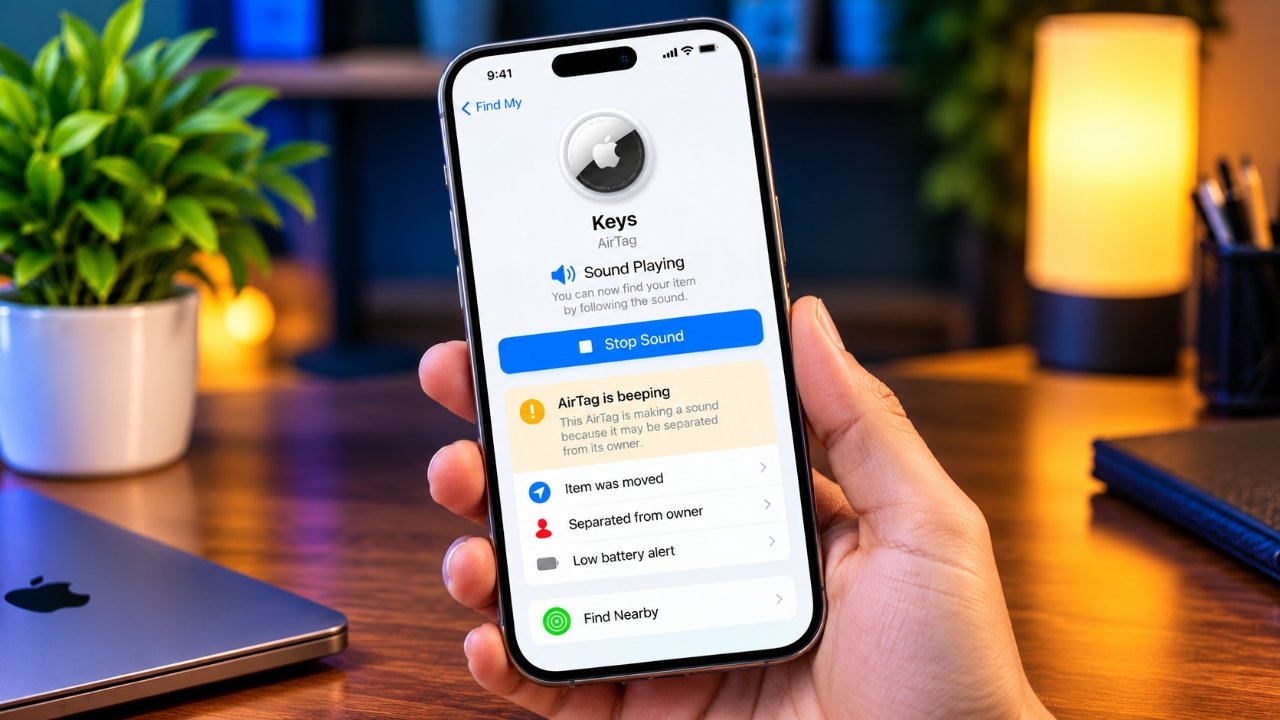
An AirTag is designed to help you keep track of things like keys, bags, wallets and other personal belongings. Most of the time, it works quietly in the background. But if your AirTag suddenly starts making sounds, it can leave you wondering what is wrong.
There isn’t always one single reason for the beeping. It can be related to the connection with your iPhone, Lost Mode, the battery, or Apple’s safety features designed to prevent unwanted tracking.
Before trying random fixes, it is better to understand why the sound is happening. Here are the most common possibilities and what you can do about them.
Also Read: How to Fix an Android Microphone That Is Not Working
Why Does an AirTag Start Beeping?
An AirTag can make a sound in different situations. Some are completely normal, while others may indicate that the tracker has been separated from its owner or needs attention.
Here are the main reasons worth checking.
Your AirTag Has Been Away From Its Owner
Apple has built anti-stalking protections into AirTag. If an AirTag is separated from its owner and is travelling with another person for a period of time, it can eventually make a sound.
This feature is intended to make an unfamiliar tracker easier to notice. For example, if someone placed an AirTag inside another person’s bag without their knowledge, the sound could help reveal that a tracker is nearby.
If the AirTag belongs to you, bring it close to the iPhone associated with your Apple Account and allow the devices to reconnect.
Lost Mode May Be Turned On
Lost Mode is useful when you cannot find an item attached to your AirTag. When activated through the Find My app, it helps with recovering the missing item and can involve audible alerts.
If you have already found your belongings, check whether Lost Mode is still active.
To turn it off:
- Open Find My on your iPhone.
- Tap Items.
- Select the AirTag.
- Find the Lost Mode section.
- Follow the on-screen option to turn it off.
Keep in mind that turning off Lost Mode will not necessarily stop every type of AirTag sound. Safety-related alerts work separately.
The AirTag May Have a Connection Problem
AirTag communicates with nearby Apple devices using Bluetooth. If your tracker has been away from its paired iPhone for some time, the connection may not be available.
Try bringing the AirTag closer to your iPhone and make sure Bluetooth is enabled.
If the tracker reconnects normally, the sound may stop without requiring any additional changes.
The Battery Could Be Running Low
AirTag uses a replaceable CR2032 coin-cell battery. Apple says the battery is designed to last more than a year under typical usage, although actual battery life can vary.
A low battery can affect normal AirTag operation, so it is worth checking before trying more complicated solutions.
You can check the battery status from the Find My app:
- Open Find My.
- Tap Items.
- Select your AirTag.
- Look for a low-battery notification.
If your iPhone indicates that the battery needs to be replaced, install a compatible CR2032 battery.
You Could Be Hearing an Unknown AirTag
Not every AirTag sound means that your own tracker has a problem.
If an unfamiliar AirTag appears to be travelling with you, Apple can provide safety notifications designed to help identify unknown trackers. These features are particularly important because an AirTag can potentially be placed on a person’s belongings without their knowledge.
If you receive an unknown AirTag notification, check your belongings and surroundings carefully and follow the safety instructions provided by Apple.
Do not ignore an unfamiliar tracker notification simply because the sound eventually stops.
Ways to Stop Unwanted AirTag Beeping
Once you know what is causing the sound, the solution is usually fairly simple. Start with the basic checks below.
1. Check Bluetooth on Your iPhone
AirTag relies on Bluetooth to communicate with nearby Apple devices.
Open Settings > Bluetooth and make sure Bluetooth is enabled. Then keep your AirTag close to the iPhone associated with it.
Give the devices a little time to reconnect before trying anything more complicated.
Remember that Bluetooth range can vary considerably depending on walls, objects and other environmental conditions, so a particular distance should not be treated as a guaranteed range.
2. Bring the AirTag Closer to Your iPhone
If your AirTag has been separated from your phone, place the tracker next to your iPhone.
Wait for the connection to return and then check whether the sound continues.
If the AirTag still beeps, move on to the next checks rather than repeatedly reconnecting the same way.
3. Check Notify When Left Behind
If you frequently leave your belongings behind, Apple’s Notify When Left Behind feature can be useful.
To check the setting:
- Open Find My.
- Select Items.
- Choose your AirTag.
- Look for Notify When Left Behind.
- Adjust the settings according to your preference.
You can also add trusted locations where you do not want to receive unnecessary separation notifications.
This feature is mainly about notifications on your iPhone, so it should not be confused with every type of physical sound produced by an AirTag.
4. Check Whether Lost Mode Is Still Active
If you previously marked your item as lost and have since found it, remember to turn off Lost Mode.
Open Find My, select your AirTag and check its Lost Mode status. If the item has been recovered, follow the instructions to disable the feature.
5. Replace the AirTag Battery
If the battery warning appears in Find My, replacing the battery is a sensible next step.
To replace it:
- Place the stainless-steel battery cover facing upward.
- Press the cover down firmly.
- Rotate it counterclockwise.
- Remove the cover.
- Take out the old battery.
- Insert a compatible CR2032 battery with the positive side facing upward.
- Replace the cover.
- Rotate it clockwise until it is secure.
Your AirTag should produce a sound when the battery is installed correctly.
Afterward, check Find My again to see whether the low-battery warning has disappeared.
6. Keep Safety Features Enabled
Apple’s unwanted-tracking protections are designed to help people identify unfamiliar AirTags and other Find My accessories.
Although some users may be tempted to disable safety notifications because they find them inconvenient, doing so can remove an important layer of protection.
If you are receiving an unfamiliar tracker alert, investigate the reason instead of simply turning off the notification.
Also Read: How to Enable Theft Detection Lock on Android
What If Your AirTag Still Keeps Beeping?
If the basic solutions do not help, you can try a few additional troubleshooting steps.
Remove and Add the AirTag Again
Removing an AirTag from Find My and setting it up again can help if there is a persistent registration or connection problem.
From the Find My app, select the AirTag and look for the option to remove the item. Once it has been removed, follow Apple’s setup process to pair it again.
Remember that an AirTag is associated with one Apple Account at a time. Other devices can access the same AirTag through the associated account, but two separate Apple Accounts cannot independently register the same AirTag.
Keep the AirTag Near Your iPhone for Firmware Updates
AirTag firmware updates are delivered automatically. There is no normal manual update button that you can use to force an AirTag firmware update.
Keeping the AirTag close to an iPhone that is connected to the internet, with Bluetooth enabled, gives it an opportunity to receive available updates.
If a software-related issue is causing unusual behaviour, an automatic firmware update may eventually address it.
Reset the AirTag
Resetting can be useful when an AirTag needs to be paired with a different Apple Account or when other troubleshooting steps have not solved the problem.
The reset process involves removing and reinserting the battery several times until the AirTag produces the required confirmation sound. After a successful reset, the AirTag can be set up again.
Because the procedure is more involved than simply replacing the battery, it is better to follow Apple’s current instructions carefully rather than relying on an outdated guide.
Should You Remove the AirTag Speaker?
You may find online tutorials suggesting that you physically disable or remove the AirTag’s speaker to prevent it from making sounds.
This is not a recommended solution.
Opening the tracker and modifying its internal components can damage the device. It can also interfere with its intended safety features. Instead of physically modifying an AirTag, identify why it is making the sound and use the appropriate software or battery-related solution.
If the device appears to have a genuine hardware problem, professional assistance is a safer option.
Frequently Asked Questions
Why is my AirTag randomly beeping?
An AirTag can make sounds for several reasons, including separation from its owner, Lost Mode, safety-related situations or other operating conditions. Checking Find My and the battery status can help narrow down the cause.
How can I stop my AirTag from beeping?
First, bring it close to the iPhone associated with the AirTag and check Bluetooth. Then check Lost Mode and the battery status. If the sound is related to an unknown-tracker safety feature, follow the instructions shown on your iPhone.
Can another person’s AirTag beep near me?
Yes. An unfamiliar AirTag that has been separated from its owner can make a sound as part of Apple’s unwanted-tracking protections. If your iPhone displays an unknown AirTag alert, follow the safety guidance provided with the notification.
Can one AirTag be used with two iPhones?
An AirTag is registered to one Apple Account. However, devices signed in to that same account can access the associated AirTag through Find My.
What is the Bluetooth range of an AirTag?
There is no guaranteed real-world distance because Bluetooth performance depends on the surroundings, obstacles and other factors. Treat commonly quoted range figures as approximate rather than a fixed operating limit.
How much does an AirTag cost?
AirTag pricing can change depending on the country, retailer and current Apple pricing. Check Apple’s official store or an authorised retailer for the latest price instead of relying on an older price mentioned in an article.
Also Read: How to Reduce Loud Sounds on iPhone With iOS 26
Final Thoughts
An AirTag that suddenly starts beeping does not necessarily mean that the device is damaged. The sound may be connected to separation, Lost Mode, battery condition or Apple’s safety features.
Start by bringing the AirTag near its associated iPhone and checking Bluetooth. Then look at Find My for Lost Mode, battery warnings or unfamiliar-tracker notifications.
Most importantly, do not disable safety features or physically modify the AirTag just to silence it. Understanding the reason behind the sound is a safer way to solve the problem while keeping the tracker working as intended.

Sourav Gorai, founder of sabhigyan.com, is passionate about technology, smartphones, apps, and digital tools. With 8+ years of experience in the digital and tech space, he focuses on creating easy-to-understand, practical, and helpful content that makes everyday technology simpler for readers.